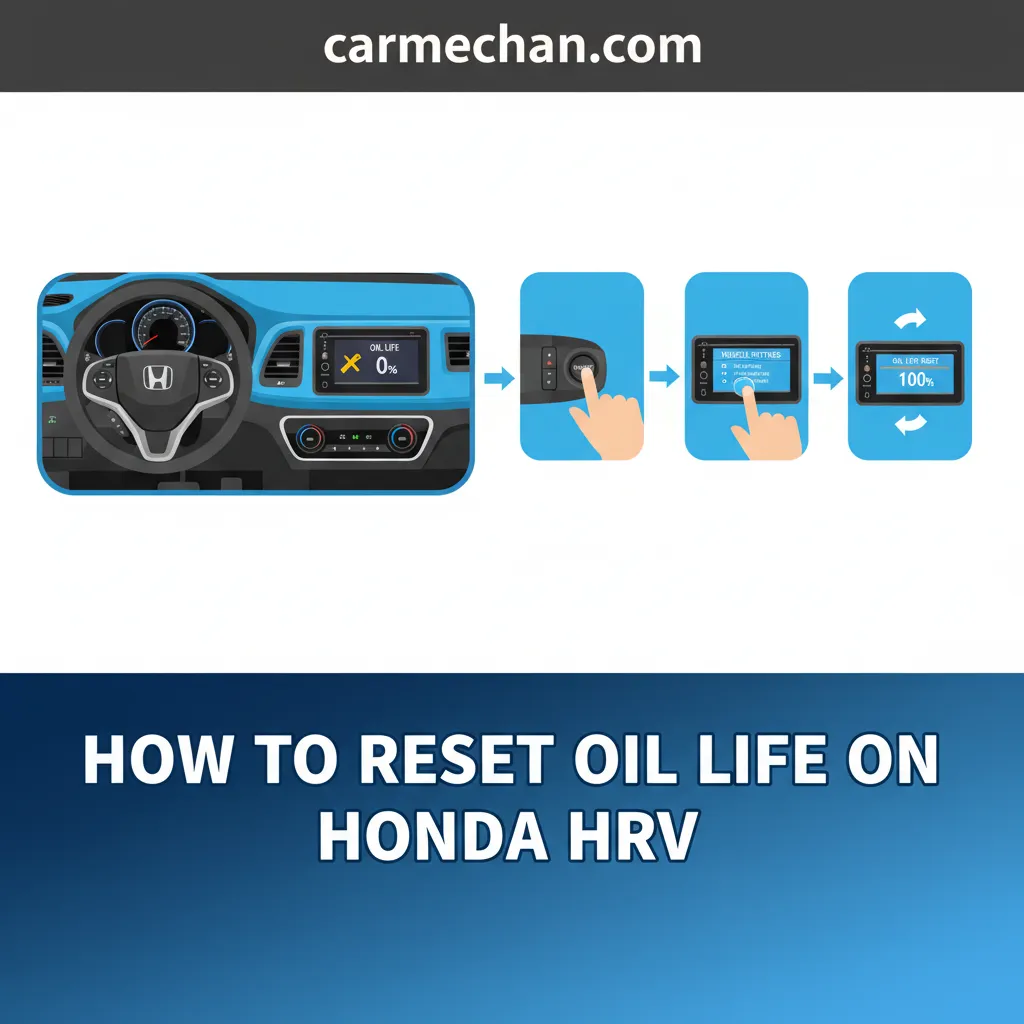
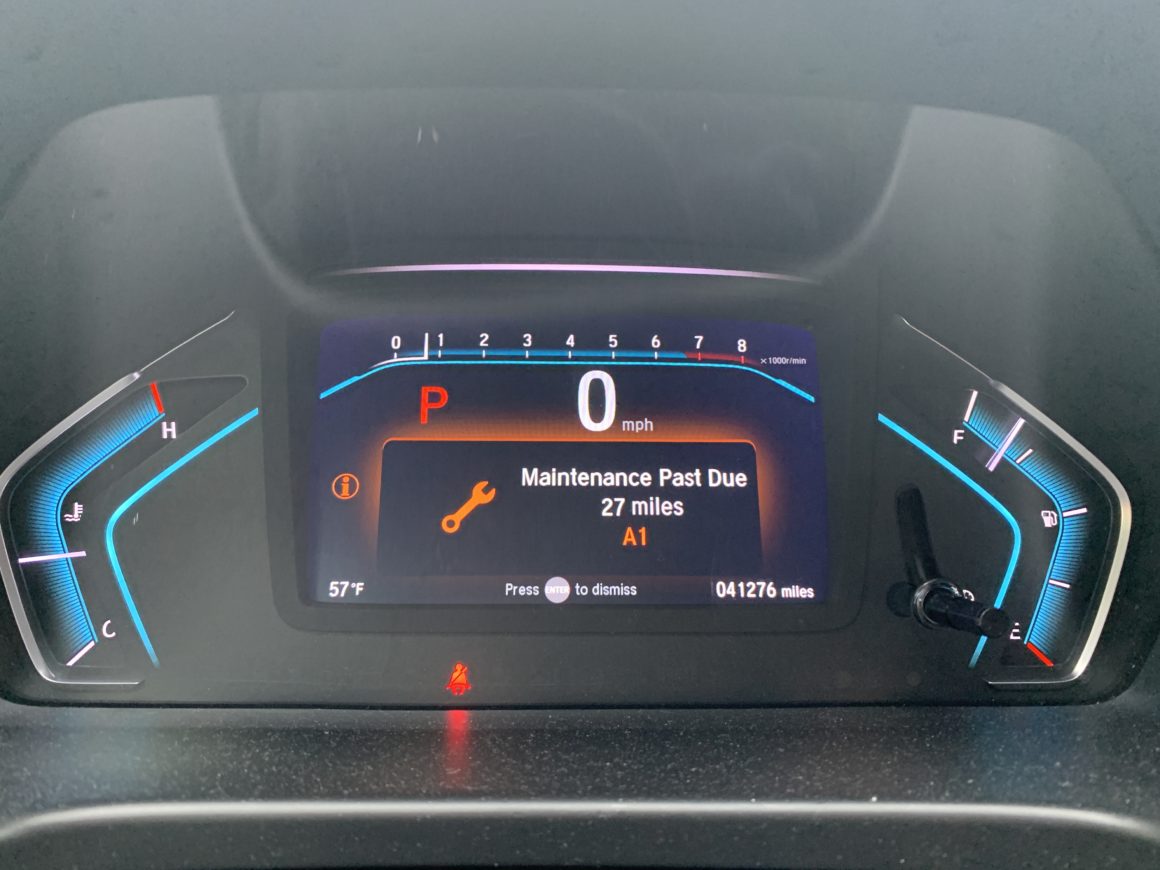
To reset the maintenance light on a 2017 Honda Pilot, turn the ignition to the ON position without starting the engine. Use the steering wheel controls to navigate to the Maintenance Minder screen on the instrument cluster, press and hold the selector wheel or Enter button for 10 seconds until reset mode appears, select "Reset," and press Enter. On models equipped with a touchscreen, navigate to Settings > Vehicle > Maintenance Info > Select Reset Items, choose the relevant service code, and confirm the reset.
Understanding the 2017 Honda Pilot Maintenance Minder System
The 2017 Honda Pilot utilizes an automated system known as the Honda Maintenance Minder to monitor engine operating conditions, driving habits, climate variations, and time elapsed. Instead of relying strictly on traditional fixed-mileage intervals (such as every 3,000 or 5,000 miles), the system uses an algorithm to continuously evaluate engine revolutions, operating temperatures, and vehicle speed to calculate the actual breakdown of engine oil and key service components.
The system communicates remaining fluid life through a percentage reading displayed on the Multi-Information Display (MID) located on the instrument cluster. Understanding what these percentage thresholds signify ensures you schedule service before mechanical wear occurs:
- 100% to 16%: The oil life is within normal operating parameters. No immediate service is required.
- 15%: Service is due soon. The main display will show a notification along with specific alphanumeric maintenance codes indicating which service items need attention.
- 5%: Service is due now. Mechanical wear increases if engine oil and filters are not serviced promptly.
- 0%: Service is past due. The display will show negative mileage (e.g., "-150 miles"), tracking how far past the recommended service interval the vehicle has traveled.
Resetting the Maintenance Minder is a vital final step whenever routine service is performed. Doing so recalibrates the internal tracking algorithm back to 100%. If you perform an oil change or major service without performing a reset, the system will continue counting down from its prior calculation, resulting in premature or inaccurate service alerts later on.
Method 1: Resetting Maintenance Light via Steering Wheel Controls
This reset method applies to all 2017 Honda Pilot trim levels—including the LX, EX, EX-L, Touring, and Elite—using the physical controls located on the left side of the steering wheel. This process updates the Multi-Information Display (MID) situated between the speedometer and tachometer on the instrument dashboard.
Prerequisites Before Beginning
- Ensure the vehicle is safely parked on a flat surface with the transmission set to Park (P).
- Engage the parking brake to prevent accidental movement.
- Keep the engine off during the entire procedure unless specifically instructed to start it.
Step-by-Step Steering Wheel Reset Procedure
Enter Ignition ON Mode: Without pressing the brake pedal, press the ENGINE START/STOP button twice. This puts the ignition into the "ON (II)" mode. The dashboard lights will illuminate, but the engine will remain off.
Navigate to the Maintenance Display: Use the Info button (represented by a small letter "i" or a page icon) or the up/down selector wheel on the left side of the steering wheel to scroll through the MID options. Continue scrolling until the display shows the Oil Life percentage screen.
Activate Reset Mode: Press and hold the Enter button (or press straight down on the selector wheel) for approximately 10 to 15 seconds. Hold the button continuously until the screen transitions into the Maintenance Reset selection mode. The display will show the current maintenance sub-codes alongside options to perform a reset.
Select the Reset Option: Use the selector wheel to scroll up or down to highlight Reset (or All Due Items, depending on the exact software version loaded in your instrument cluster).
Confirm and Complete the Reset: Press the Enter button once more to confirm your selection. The screen will display a confirmation message indicating that the reset was successful, and the oil life display will reset to 100%.
Turn Off the Ignition: Press the ENGINE START/STOP button once to turn the ignition completely off, then start the engine normally to verify that the maintenance warning light and code notifications have cleared.
Method 2: Resetting Maintenance Light via Touchscreen Display Audio
If your 2017 Honda Pilot is an EX, EX-L, Touring, or Elite trim equipped with the 8-inch Display Audio touchscreen infotainment system, you can perform the maintenance reset directly through the central screen interface.
- HOME SCREEN
- Audio
- Phone
- Info
- Select SETTINGS
- SETTINGS MENU
- System
- Bluetooth
- Select VEHICLE
- Smartphone
- VEHICLE SETTINGS
- Meter Setup
- Driver Assist System Setup
- Select MAINTENANCE INFO
- MAINTENANCE INFO
- Select Select Reset Items
- Choose Code / All Due
- Press RESET
Step-by-Step Touchscreen Reset Procedure
Turn Ignition to ON Mode: Press the ENGINE START/STOP button twice without placing your foot on the brake pedal. Ensure the touchscreen powers on fully.
Access the Main Menu: Press the physical or soft-key HOME button located to the left of the central touchscreen to bring up the primary application menu.
Navigate to Settings: Tap the Settings icon on the touchscreen display.
Open Vehicle Settings: Select the Vehicle button from the list of system settings.
Locate Maintenance Info: Scroll down the list of vehicle options until you locate Maintenance Info. Tap this option to open the current service status menu.
Select Items to Reset: The screen will display the remaining oil life and active service codes. Tap Select Reset Items (or tap directly on the listed service code prompt).
Execute the Reset: A pop-up menu will present choices such as individual maintenance sub-codes or All Due Items. Tap All Due Items or the specific service performed, then select Reset when prompted to confirm.
Verify System Output: The screen will display a message stating "Maintenance information has been reset," and the system status will return to 100% Oil Life. Switch off the vehicle ignition to finalize the procedure.
Decoding 2017 Honda Pilot Maintenance Minder Codes
The Maintenance Minder system alerts drivers using a combination of main codes (represented by letters) and sub-codes (represented by numbers). Main codes indicate essential maintenance tasks like oil changes, while sub-codes specify secondary fluid replacements, filter changes, and physical inspections.
Understanding these codes helps ensure that your vehicle receives exact, factory-recommended service components during each interval.
| Code | Type | Service Description | Recommended Scope & Details |
|---|---|---|---|
| A | Main | Engine Oil Replacement | Replace engine oil only. (Filter inspection/replacement optional per factory base code, though replacing the filter every service is industry standard practice). |
| B | Main | Engine Oil & Filter Replacement + Inspection | Replace engine oil and engine oil filter. Perform multi-point inspection including front/rear brakes, steering gear, suspension components, driveshaft boots, exhaust system, and brake fluid lines. |
| 1 | Sub | Tire Rotation | Rotate tires from front to rear (and cross-pattern if non-directional) to ensure even tread wear. Verify pressure levels and reset TPMS system if required. |
| 2 | Sub | Filter Replacements & Belt Inspection | Replace the engine air cleaner element and cabin dust/pollen filter. Inspect drive belt condition and alignment. |
| 3 | Sub | Transmission & Transfer Case Fluid Service | Replace automatic transmission fluid (ATF). For AWD models, replace transfer assembly fluid as well. |
| 4 | Sub | Spark Plugs & Valve Clearance | Replace spark plugs. Inspect intake and exhaust valve clearances (adjust if noisy). Inspect timing belt (if equipped) and water pump. |
| 5 | Sub | Engine Coolant Service | Flush and replace engine coolant using genuine Honda Long Life Antifreeze/Coolant Type 2. |
| 6 | Sub | Rear Differential Fluid Service | Replace rear differential fluid (applicable to All-Wheel Drive / i-VTM4 models only). |
Fluid Specifications and Service Capacities
When servicing the 2017 Honda Pilot (equipped with the standard 3.5L V6 Earth Dreams engine), using correct fluids and accurate fill quantities ensures system longevity and keeps the maintenance system running smoothly between reset cycles.
Engine Oil Requirements
- Recommended Viscosity: SAE 0W-20 API Certified synthetic engine oil.
- Capacity with Filter Replacement: 5.7 U.S. quarts (5.4 liters).
- Capacity without Filter Replacement: 5.4 U.S. quarts (5.1 liters).
- Drain Plug Torque Specification: 29 lb-ft (39 Nm) using a new crush washer.
Transmission Fluid Requirements
- 6-Speed Automatic Transmission (LX, EX, EX-L trims): Honda ATF DW-1.
- Fluid Change Capacity: ~3.9 U.S. quarts (3.7 liters).
- 9-Speed Automatic Transmission (Touring, Elite trims): Honda ATF-Type 3.1 (or approved fluid meeting Honda 9-speed specifications).
- Fluid Change Capacity: ~3.5 U.S. quarts (3.3 liters).
Differential & Transfer Case Fluids (AWD Models)
- Rear Differential Fluid: Genuine Honda Dual Pump Fluid II (or Honda DPSF-II).
- Capacity: ~2.6 U.S. quarts (2.5 liters).
- Transfer Case Fluid: Honda HGO-1 (Hypoid Gear Oil) 75W-85.
- Capacity: ~0.47 U.S. quarts (0.45 liters).
Common Maintenance Reset Mistakes and Troubleshooting
While resetting the 2017 Honda Pilot maintenance display is straightforward, several common oversights can cause errors, incomplete resets, or inaccurate maintenance tracking.
1. Resetting the System Without Changing the Oil
Resetting the Maintenance Minder display without physically draining the old oil and replacing it with fresh 0W-20 synthetic oil tricks the onboard computer. The algorithm will assume fresh oil has been added and allow engine operation past the real lubricity breakdown point, leading to accelerated internal engine wear, sludge build-up, and potential Variable Cylinder Management (VCM) component failure.
2. Vehicle Ignition in the Wrong Power Mode
If you attempt to navigate the MID or Touchscreen menus while the ignition is in ACCESSORY mode (single press of the engine start button) or while the engine is running, the maintenance reset option may appear grayed out or fail to display the 10-second hold prompt.
- Fix: Press the ENGINE START/STOP button twice without touching the brake pedal so that instrument cluster warning icons light up fully (ON mode).
3. Reset Mode Fails to Trigger on Steering Wheel Controls
Occasionally, holding the selector wheel or Enter button on the steering wheel fails to bring up the "Reset" choice prompt.
- Fix: Ensure you are parked on the specific Oil Life screen and not on a secondary trip meter or audio screen. If the system still does not respond, clear any active door/hatch open warnings on the cluster before holding the button down for a full 15 seconds.
4. Accidentally Resetting Unserviced Sub-Codes
If your vehicle displays code B12 (oil change, tire rotation, cabin/engine filters) and you perform only an oil change, executing an "All Due Items" reset clears the alerts for the filters and rotation as well.
- Fix: When performing partial service, select the individual sub-item reset options on touchscreen-equipped models, or ensure all listed sub-code tasks are completed before doing a full system reset via the steering wheel MID.
Frequently Asked Questions
What happens if I forget to reset the 2017 Honda Pilot oil life monitor?
If you forget to reset the monitor after completing an oil change, the system will continue counting down from its prior point based on driving mileage and engine revolutions. Eventually, it will reach 0% and display negative mileage warnings (e.g., "Service Past Due"). This will not harm the engine if the mechanical oil change was completed, but it prevents the system from accurately tracking your next service interval. You can perform the reset procedure at any time after the service to reset the monitor to 100%.
Can I reset the maintenance light while driving?
No. For safety reasons, Honda disables access to the deep system configuration and maintenance reset screens while the vehicle is in motion. The transmission must be in Park (P), and the vehicle must be stationary.
How often does the Maintenance Minder light typically come on?
Under normal driving conditions, the oil life monitor on a 2017 Honda Pilot typically triggers the 15% warning every 7,500 to 10,000 miles or roughly once every 12 months, whichever comes first. Vehicles subjected to frequent short trips, extreme cold or hot climates, heavy towing, or extensive idling may trigger the maintenance warning sooner, around 5,000 to 6,000 miles.
Why did my Maintenance Minder skip from 20% to 15% quickly?
The system calculates oil breakdown based on engine temperatures, RPMs, and trip duration rather than simple distance. Hard acceleration, high-temperature driving, heavy loads, or prolonged city traffic accelerate fluid deterioration within the algorithm's calculation, causing the remaining life percentage to drop faster during severe usage conditions.
Is synthetic oil required for the 2017 Honda Pilot?
Yes. Honda requires SAE 0W-20 oil for the 3.5L V6 engine in the 2017 Pilot. All commercially available 0W-20 viscosity oils are formulated as full synthetic or synthetic blend oils. Using the recommended 0W-20 viscosity ensures proper oil flow to critical engine components, proper operation of the V-TEC and VCM systems, and optimal fuel economy.
Does resetting the maintenance light clear diagnostic check engine lights?
No. Resetting the Maintenance Minder only resets routine fluid and filter service alerts (such as oil life). It will not clear an engine malfunction light (Check Engine Light / MIL) caused by engine sensors, emissions system faults, or mechanical malfunctions. Diagnostic trouble codes (DTCs) must be cleared using an OBD-II scanner after fixing the underlying mechanical issue.
Recommended Next Steps
After completing the maintenance reset on your 2017 Honda Pilot:
- Verify Oil Level: Pull the engine oil dipstick, wipe it clean, reinsert it fully, and withdraw it to confirm the oil level rests exactly between the upper and lower cross-hatch marks.
- Inspect for Leaks: Start the engine and run it for 60 seconds while checking beneath the vehicle and around the oil filter housing and drain plug for active leaks.
- Log the Maintenance Event: Record the service date, vehicle mileage, fluid types, and performed sub-code tasks in your vehicle maintenance logbook or digital service profile. Keeping receipts and records protects your vehicle's resale value and preserves warranty documentation.