Java API documentation includes both the official class library references published by Oracle and OpenJDK for the Java Development Kit (JDK) and the custom documentation developers generate for their own applications. Developers navigate official JDK references online or offline, use the standard javadoc tool to convert source comments into structured HTML, and leverage OpenAPI frameworks to document REST APIs.
Navigating Official Java Standard Library API Documentation
The Java Development Kit (JDK) features one of the most comprehensive standard library documentations in software engineering. Official Java API documentation details every public class, interface, method, package, and field available across Java distributions. Understanding how to locate, filter, and read these specifications is fundamental for developers building robust applications.
Structure of the Official JDK Reference
Since the introduction of the Java Platform Module System (JPMS) in Java 9, the official API reference is organized hierarchically into four primary tiers:
- Modules: Top-level logical groupings such as
java.base,java.sql,java.desktop, andjava.net. Thejava.basemodule serves as the foundational module containing core types likejava.lang.Object,java.util.List, andjava.io.InputStream. - Packages: Namespace subdivisions within modules. For example,
java.utilgroups collection frameworks and utility utilities, whilejava.timecontains the modern Date and Time API. - Classes and Interfaces: Detailed structural definitions outlining class hierarchies, implemented interfaces, direct subclass lists, and thread-safety characteristics.
- Members: Specific constructors, fields, and methods, complete with parameter signatures, return types, thrown exceptions, and descriptive usage notes.
Official documentation for modern Java versions—including Long-Term Support (LTS) releases such as Java 17 and Java 21—is hosted on the Oracle Java Documentation Portal and mirrored by OpenJDK builds.
Searching and Filtering Online Docs
Modern JDK documentation sites include an interactive search bar operating entirely client-side via JavaScript indexes. Developers can search for exact class names (such as ConcurrentHashMap), specific methods (such as Collectors.groupingBy), or system properties.
When reviewing class definitions, pay close attention to:
- Since Annotation: Indicates the specific Java version in which a feature or class was introduced.
- Deprecation Warnings: Flags features scheduled for removal, often suggesting modern replacement APIs.
- Method Overload Lists: Displays all parameter variants for a given method name.
Core Architecture of Javadoc: How Java Generates API Docs
javadoc is the standard tool built directly into the Java Development Kit that extracts special structured comments from .java source files and renders them into static HTML documentation.
Standard Javadoc Block Format
Javadoc comments begin with a forward slash and two asterisks /** and conclude with an asterisk and a forward slash */. They must be positioned directly preceding the target class, interface, field, constructor, or method declaration.
A standard Javadoc block consists of two distinct components:
- The Main Description: A clear narrative explaining what the program element does, written in plain text or standard HTML tags.
- Tag Section: Structured block tags prefixed with an
@symbol that define inputs, outputs, errors, deprecation status, and cross-references.
Essential Javadoc Block Tags
@param: Describes a method parameter or type parameter. Must be followed by the exact variable name and a clear description of its purpose and constraints.@return: Documents the data type and semantic meaning of the method's return value. Omitted for methods returningvoid.@throwsor@exception: Specifies exceptions that a method may throw, detailing the conditions that trigger the exception.@deprecated: Identifies code that should no longer be used, explaining why it was deprecated and providing alternative APIs.@see: Adds a cross-reference to another class, method, or external URL.@since: Specifies the software release or library version when the code element was added.@author: Identifies the creator or maintainer of the source component (primarily used in internal libraries).
Useful Inline Tags
Inline tags sit directly within the main text or tag descriptions and are enclosed inside curly braces {...}:
{@link Class#method}: Creates an inline HTML hyperlink to another documented element.{@code exampleText}: Displays text in a monospace code font without parsing embedded HTML tags.{@literal text}: Treats special symbols like angle brackets (<and>) as literal text rather than HTML tags.{@value}: Displays the constant value of a static field directly in the documentation output.
Documenting RESTful Web APIs in Java
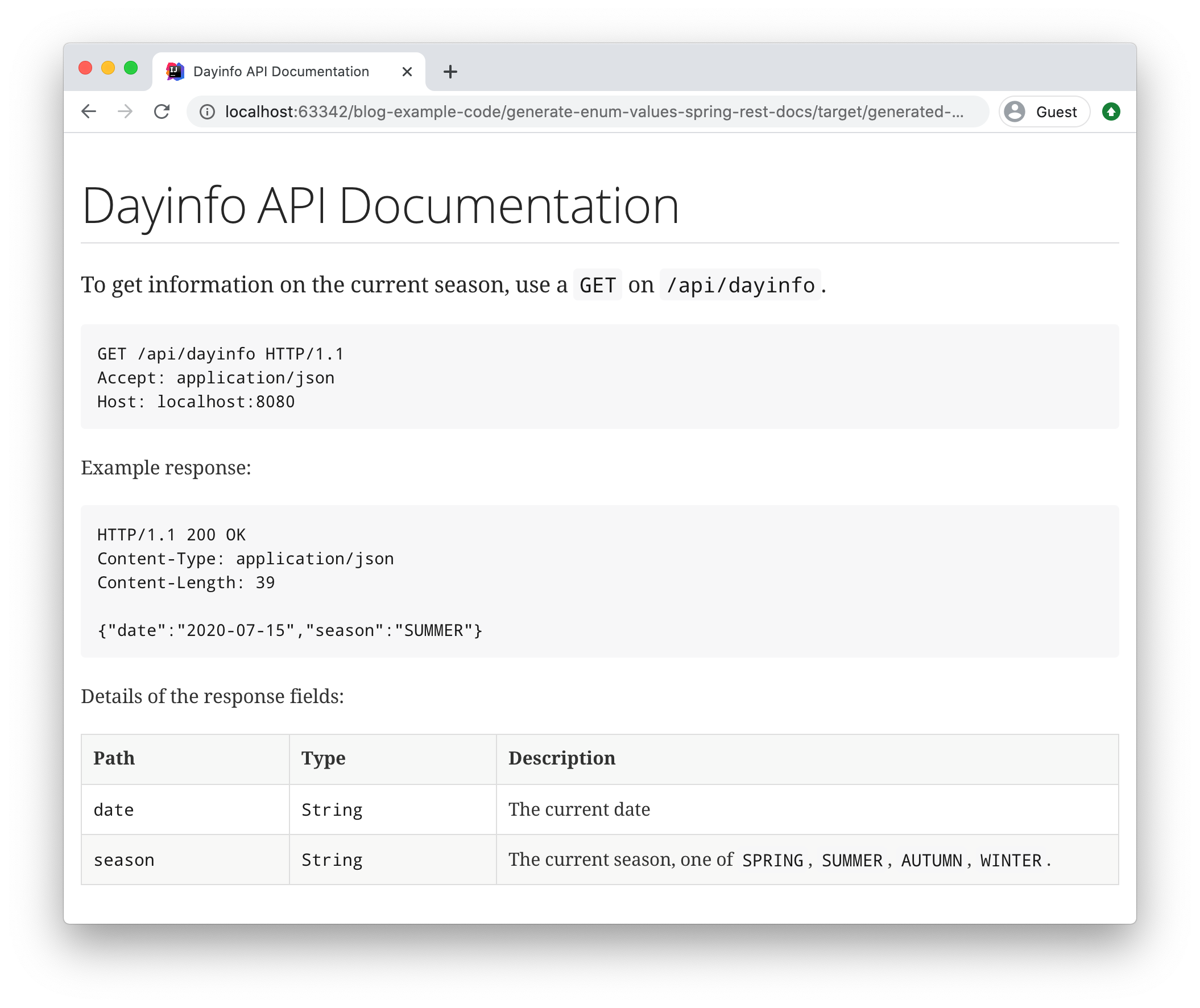
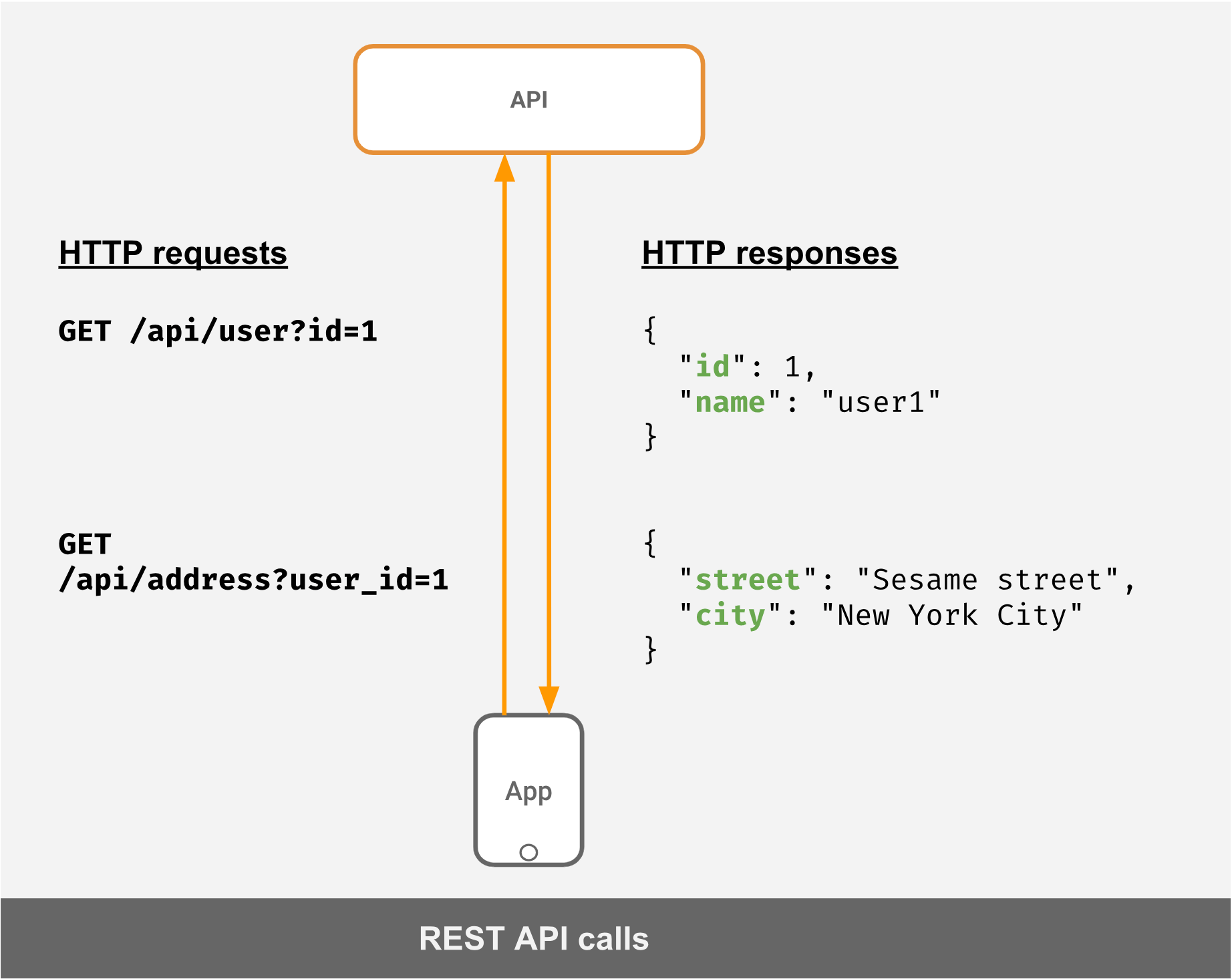
While Javadoc excels at documenting object-oriented Java class libraries, web applications and microservices require documentation tailored for HTTP endpoints. Modern Java REST services rely on the OpenAPI Specification to produce interactive API documentation.
OpenAPI 3.0 and Swagger Integration
In modern Java web development, frameworks like Spring Boot and Jakarta EE use automated OpenAPI tooling to generate live, interactive documentation directly from controllers and annotations.
The most widely adopted solution for Spring Boot applications is Springdoc OpenAPI. By scanning Spring MVC or WebFlux controllers, Springdoc dynamically builds a standardized JSON/YAML OpenAPI definition and renders an interactive Swagger UI webpage.
To learn more about the configuration and ecosystem, visit the official Springdoc OpenAPI Portal.
Essential OpenAPI Annotations for Java Web APIs
When building REST APIs in Java using Jakarta REST (JAX-RS) or Spring MVC, developers enrich API docs using specialized annotations:
@Operation: Summarizes an HTTP endpoint operation and provides a detailed description of its business logic.@ApiResponse: Documents prospective HTTP response status codes (e.g., 200 OK, 400 Bad Request, 404 Not Found) along with response body schema mappings.@Parameter: Describes HTTP path variables, query parameters, and header expectations, including validation constraints.@Schema: Configures field-level metadata on Data Transfer Objects (DTOs), defining example values, nullability, and pattern constraints.
Tooling and Hosting Strategy Comparison
Selecting the right documentation tool depends on whether your target audience consists of internal Java developers using your SDK or external consumers calling your REST endpoints over HTTP.
| Documentation Tool | Primary Target | Output Format | Integration Strategy | Best Suited For |
|---|---|---|---|---|
| JDK Javadoc CLI | Java Libraries / SDKs | Static HTML5 | Built into JDK, executed via terminal | Quick local documentation generation |
| Maven Javadoc Plugin | Enterprise Java Codebases | Static HTML / JAR artifacts | Integrated into pom.xml build lifecycle |
CI/CD build pipelines and Maven Central |
| Gradle Javadoc Task | Enterprise Java Codebases | Static HTML | Standard Gradle build script task | Custom build workflows and multi-project builds |
| Springdoc OpenAPI | Spring Boot REST APIs | Dynamic JSON/YAML & Swagger UI | Spring Boot starter dependency | Web microservices and public web APIs |
| Swagger-Core | Jakarta REST / JAX-RS APIs | Dynamic JSON/YAML & Swagger UI | Annotation library for JAX-RS runtime | Cloud-native Jakarta EE web applications |
| Enunciate | Multi-faceted Java Services | HTML, Web Services, Client SDKs | Maven build plugin scanning Javadoc | Legacy enterprise platforms needing HTML & Swagger |
Best Practices for Writing Maintainable Java API Docs
High-quality API documentation must be maintained with the same discipline applied to executable source code. Outdated documentation is often more damaging than absent documentation because it causes integration errors and misinforms engineering teams.
1. Focus on Intent and Business Constraints
Avoid restating code signatures in plain English. For example, writing "Sets the age" for a method named setAge(int age) adds no value. Instead, document business rules, boundary conditions, thread-safety, and validation logic:
- Document acceptable parameter ranges (e.g., "Must be a positive integer between 1 and 120").
- State whether parameters can accept
nullvalues or if passingnullcauses aNullPointerException. - Clarify whether a class is thread-safe or requires external synchronization when accessed concurrently.
2. Automate Javadoc Generation in CI/CD Pipelines
Integrate documentation rendering into your continuous integration workflow. In Maven projects, configure the maven-javadoc-plugin within your build configuration:
org.apache.maven.plugins maven-javadoc-plugin 3.6.3 attach-javadocs jar
In Gradle projects, standard build tasks automatically produce complete Javadoc bundles during release builds:
tasks.named('javadoc', Javadoc) { options.memberLevel = JavadocMemberLevel.PROTECTED options.author = true options.encoding = 'UTF-8' }
3. Enforce Quality Rules with Strict Doclint
The Java compiler and Javadoc generator feature built-in validation checks controlled via the -Xdoclint flag. Enforcing strict doclinting during builds prevents malformed HTML, missing @param tags, broken inline cross-references, and invalid syntax from reaching production repositories.
Common Pitfalls and Troubleshooting Java API Documentation
Unescaped Generic Types and HTML Characters
Because Javadoc processes standard HTML markup, embedding raw angle brackets—such as generic type definitions like List—causes the generator to interpret as an unclosed HTML tag. This silently corrupts the rendered layout or triggers build errors.
- Solution: Wrap generic type declarations inside an inline code tag (
{@code List}) or use escaped HTML entities (List<String>).
Missing Parameter and Exception Annotations
In large development teams, methods frequently undergo refactoring—parameters are added, renamed, or removed. If Javadoc comments are not updated alongside signature updates, the build tool will issue warnings or fail under strict CI configurations.
- Solution: Configure static code analysis tools like Checkstyle or SonarQube to flag mismatches between method signatures and Javadoc block tags during local development.
Aggregating Documentation across Multi-Module Projects
In modular enterprise applications divided into multiple Maven modules or Gradle subprojects, generating separate Javadoc packages for every individual sub-module complicates cross-component navigation.
- Solution: Use the aggregated doc goals (such as
javadoc:aggregatein Maven) to merge API specifications across all constituent modules into a single, cohesive HTML documentation site with unified search capabilities.
Frequently Asked Questions
How can I access Java API documentation offline?
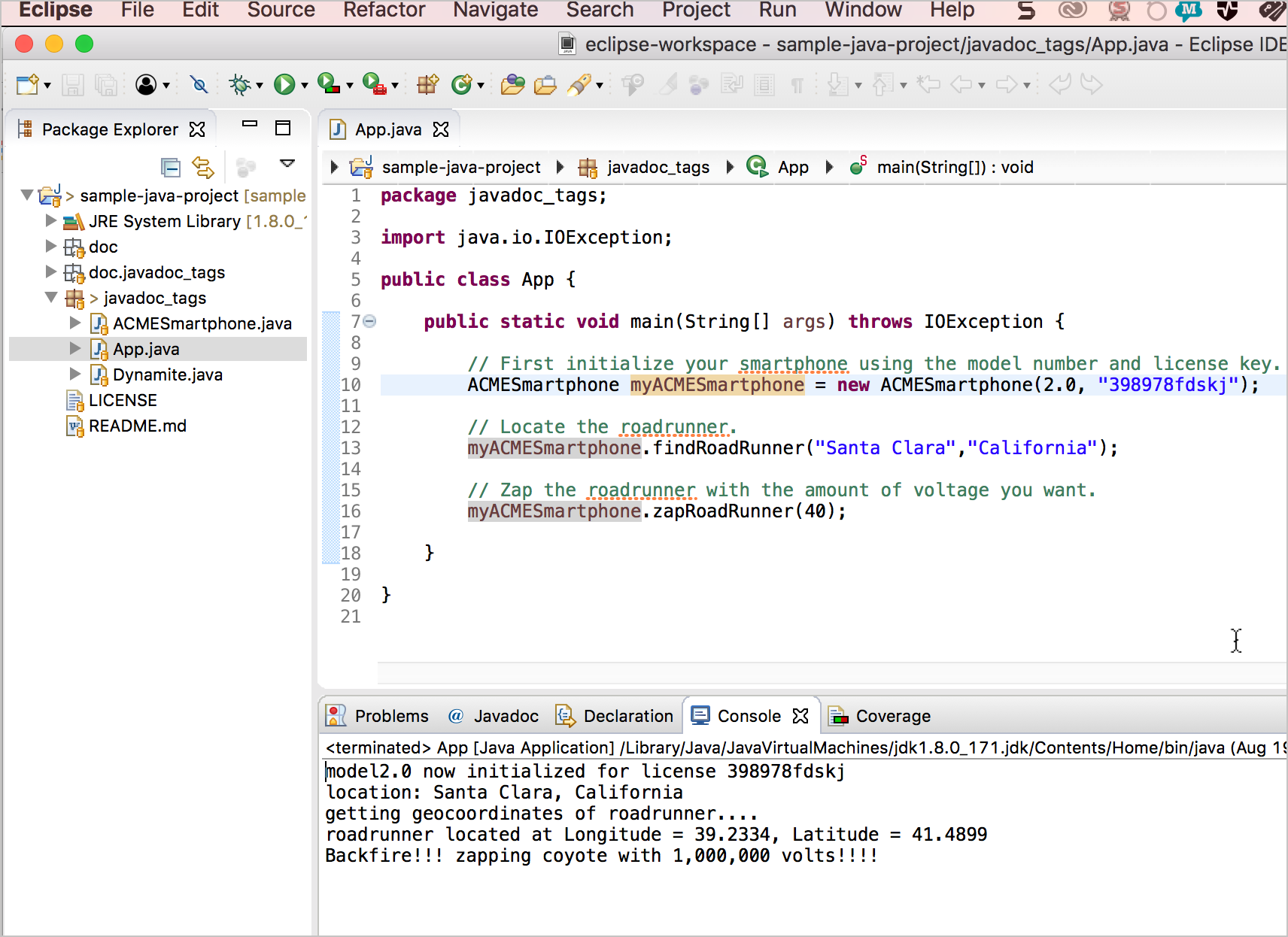
You can download offline Javadoc bundles directly from Oracle or OpenJDK distributions. Additionally, major Java Integrated Development Environments (IDEs) like IntelliJ IDEA and Eclipse can automatically download standard JDK source code and Javadoc attachments, rendering documentation directly in your editor when hovering over methods or classes.
What is the primary difference between Javadoc and OpenAPI in Java?
Javadoc generates low-level, class-by-class code documentation targeted at Java developers compiling against your library or SDK. OpenAPI (Swagger) generates HTTP network API specifications targeted at web clients, frontend applications, and external integrations consuming your REST microservices regardless of programming language.
How do I prevent specific internal classes from appearing in generated Javadoc?
To exclude internal implementation classes from public documentation, use appropriate accessibility modifiers (such as package-private or private). If using the Java Module System, export only public packages in your module-info.java file. For traditional projects, pass custom exclusion patterns to the javadoc tool CLI or build plugin config.
Why does my Javadoc build fail with -Xdoclint errors?
-Xdoclint is a strict compiler check introduced to validate Javadoc syntax. It flags malformed HTML tags, missing parameter tags, syntax errors, and broken cross-references. You can selectively disable specific checks in your build tools, though fixing underlying syntax errors is the recommended best practice.
Can I write Javadoc comments using Markdown syntax instead of HTML?
Historically, Javadoc required standard HTML syntax. However, modern Java releases (starting with JDK 23) introduce native support for Markdown comments in Javadoc using a modified syntax (/// instead of /** ... */), allowing developers to format text using clean Markdown tables, lists, and emphasis without embedded HTML tags.
Recommended Next Steps
To build clean, accessible, and automated API documentation for your Java codebases:
- Audit Existing Libraries: Check your current code repositories for missing
@param,@return, and@throwstags on all public interfaces and classes. - Configure CI Automation: Add the
maven-javadoc-pluginor Gradlejavadoctask to your automated pipeline to compile Javadoc artifacts automatically upon every release build. - Adopt OpenAPI for Web Services: If building Spring Boot or Jakarta EE web applications, integrate Springdoc OpenAPI or Swagger annotations to provide interactive API test suites for consumer teams.
- Enforce Style Standards: Integrate Checkstyle or SpotBugs rules into your build process to ensure developers document new public APIs prior to merging pull requests.