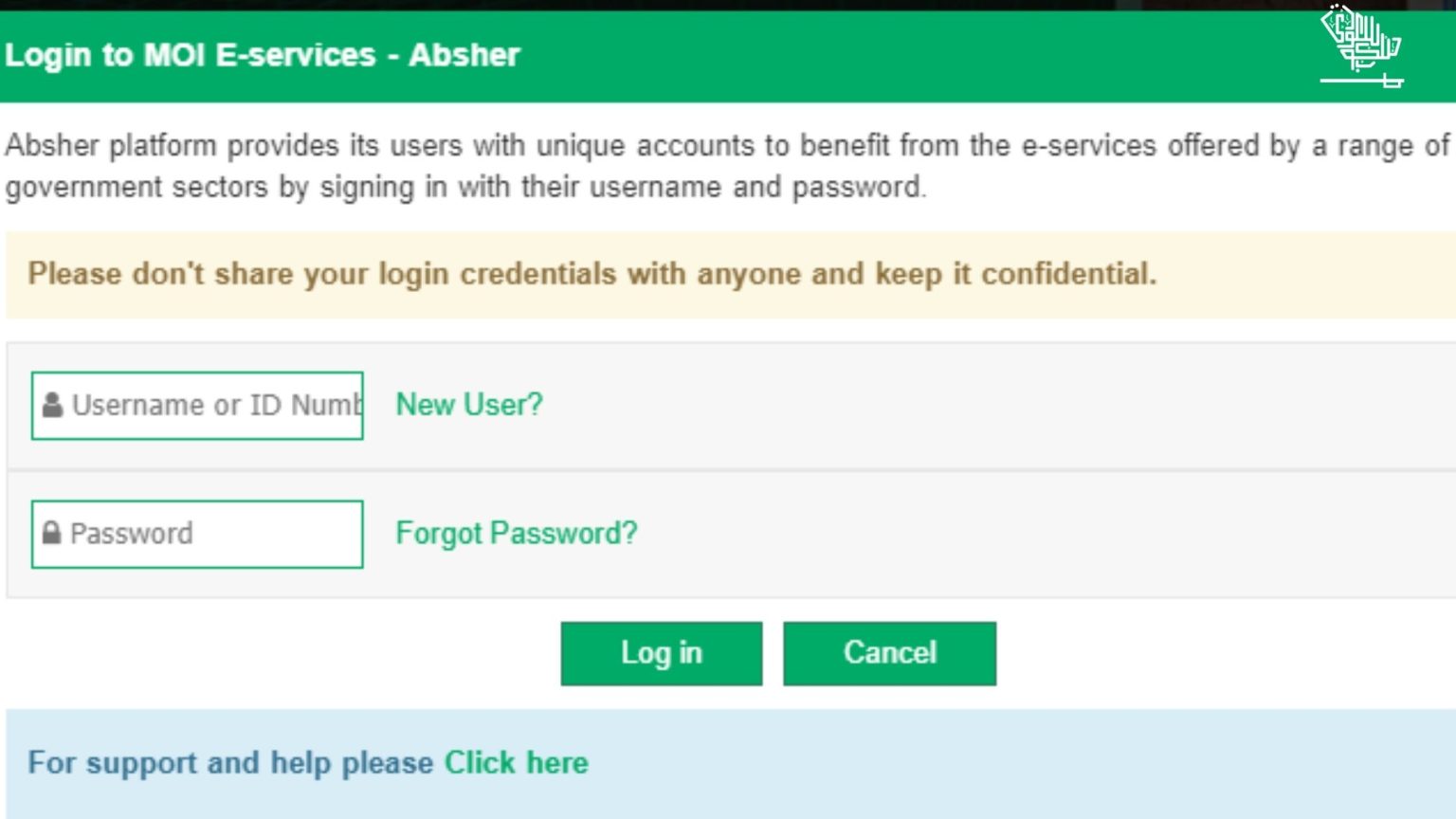
An Absher account is the official digital identity and e-government services platform managed by the Ministry of Interior in Saudi Arabia, allowing citizens, residents, and visitors to securely access and complete hundreds of government transactions online without visiting physical offices.
Navigating government bureaucracy can often feel like a time-consuming maze of paperwork, long queues, and restricted office hours. In the Kingdom of Saudi Arabia, the digitization of public services has transformed how individuals interact with state institutions. At the center of this technological shift lies the Absher platform. Designed to serve as a unified digital portal, it acts as a secure bridge between individuals and various government agencies, streamlining everything from passport renewals to traffic violation checks. Understanding how this ecosystem works, how to establish a profile, and how to utilize its extensive features safely is essential for anyone living, working, or visiting the Kingdom.
Understanding the Purpose and Scope of Absher
The Absher platform was developed to achieve a paperless, highly secure, and efficient administrative environment. Before its widespread adoption, managing residency permits (Iqamas), exit-reentry visas, vehicle registrations, and civil civil affairs records required physical visits to jawazat (passport control) offices, traffic departments, or municipal buildings. Absher centralizes these interactions into a single web portal and mobile application.
The system is divided into two primary administrative portals: Absher Individuals (Absher Individuals / أشر الأفراد) and Absher Business (أشر الأعمال). The individual portal caters to citizens and expatriate residents, managing personal family affairs, labor relations, traffic services, and passport renewals. The business portal is tailored for corporate entities, allowing company owners and authorized personnel to manage employee work permits, commercial vehicle fleets, and corporate-government compliance metrics efficiently.
By leveraging advanced encryption, multi-factor authentication (MFA), and integration with the National Information Center, the platform ensures that sensitive personal data remains protected while granting instant access to authorized users. Every action taken through the portal carries legal validity, substituting physical signatures and in-person verifications with secure digital authentication.
Eligibility, Prerequisites, and Registration Requirements
Before an individual can access the full suite of e-services provided by the Ministry of Interior, they must satisfy specific eligibility criteria and complete a mandatory registration and activation sequence.
Core Eligibility Criteria
To register for an individual account, an applicant must meet the following baseline requirements:
- Legal Status: Must hold a valid Saudi National ID (for citizens) or a valid Iqama (residency permit) along with a registered border number (for expatriate residents and GCC nationals).
- Mobile Line: Must possess an active mobile phone number registered under their own Iqama or National ID with a licensed Saudi telecommunications provider (such as STC, Mobily, Zain, or Virgin Mobile). The system strictly rejects phone numbers registered under another person's name for primary authentication.
- Age Limit: The primary user must meet the legal age requirements set by civil regulations (typically 18 years or older for independent adult profiles, though minors can be linked under a guardian's account).
Step-by-Step Registration Process
Setting up a profile requires a two-part approach: initial online data submission followed by physical or digital identity verification.
- Online Data Entry: Visit the official Absher portal or open the Absher mobile application. Select "New User" and input your National ID or Iqama number, mobile number, a secure password, and email address.
- OTP Verification: A One-Time Password (OTP) will be sent via SMS to your registered mobile phone. Enter this code on the platform to confirm your mobile number ownership.
- Identity Verification and Activation: Because government portals handle sensitive security documents, your identity must be verified. This can be accomplished through several methods:
- Self-Service Kiosks: Visiting an Absher self-service machine (located in malls, government offices, and passport departments) to scan your fingerprint and confirm your profile.
- Participating Banks: Logging into your local online banking portal, navigating to government services, and selecting Absher activation, which links your bank-verified identity to the platform instantly.
- Authorized Counter Staff: Visiting designated government service centers to complete biometric registration.
Once activated, your account is fully operational, granting you access to national databases related to your legal status in the Kingdom.
Key Services Available Through the Platform
The utility of an Absher account spans across numerous government departments. The platform is organized into thematic categories that simplify navigation. The following breakdown illustrates the primary service sectors:
Civil Affairs Services
Civil Affairs manage personal vital statistics and national identification. Through the portal, users can:
- Renew National IDs or residency-linked documents.
- Book appointments at Civil Affairs offices for services that require in-person attendance, such as issuing family registries or updating marital status.
- Report lost or stolen identification documents to initiate replacement procedures.
Passports (Jawazat) Services
Passport services are among the most frequently utilized features for expatriates and citizens alike:
- Visa Management: Issuing, extending, and canceling exit-reentry visas or final exit visas.
- Passport Renewal: Submitting applications for passport renewals for dependents or citizens.
- Dependent Management: Adding newborns, updating dependent data, or transferring sponsorship.
Traffic and Vehicle Services
The General Department of Traffic integrates its database directly into the portal, allowing users to:
- View and pay traffic violations securely.
- Renew vehicle registrations (Istimara).
- Transfer vehicle ownership between individuals.
- Report vehicle accidents or check driving license statuses.
Expatriate Labor and Recruitment Services
For employers and foreign workers, the platform handles labor administration:
- Checking the validity of work permits and residency cards.
- Managing domestic worker contracts, Iqama renewals, and profession changes.
- Issuing authorization for specific labor requests where applicable.
| Service Category | Primary Functions | Common User Action |
|---|---|---|
| Civil Affairs | ID issuance, family registries, appointment booking | Booking appointment for National ID renewal |
| Passports (Jawazat) | Exit-reentry visas, Iqama renewals, passport services | Extending an exit-reentry visa for a dependent |
| Traffic | Fine payments, vehicle registration, license renewal | Checking and paying traffic violation fines |
| Labor & Residency | Work permit verification, domestic worker oversight | Verifying Iqama expiry dates |
Security, Credentials, and Account Management
Because an Absher profile grants access to sensitive legal, financial, and personal data, maintaining strict security protocols is paramount. The Ministry of Interior enforces robust authentication standards to prevent unauthorized access.
Multi-Factor Authentication (MFA)
Whenever a user attempts to log into the portal from a new device or execute a sensitive transaction (such as transferring vehicle ownership or issuing a visa), the system triggers a secondary verification step. This typically involves sending an OTP via SMS to the registered mobile number. Users must never share this code with anyone, as government representatives will never ask for an Absher OTP over the phone.
Credential Recovery and Password Resets
If a user forgets their password or loses access to their registered mobile device, recovering the account requires re-verifying identity. Passwords can be reset via the portal if the user still has access to their registered phone number. If the mobile number has changed, the user must update their phone number at an Absher self-service kiosk or through their bank's online platform before regaining digital access.
Common Operational Issues and Troubleshooting
While the platform is engineered for high reliability, users occasionally encounter hurdles during registration or routine use. Understanding common pain points and their solutions saves time and reduces administrative friction.
Mobile Number Mismatch
- The Issue: The system rejects the mobile number during registration.
- The Cause: The phone number entered is registered under a different civil ID at the telecommunications provider, or the telecom records are out of date.
- The Solution: Visit your telecom provider's physical branch or use their official app to update the ownership of the mobile line to match your current Iqama or National ID.
Expired Residency or Documentation Blocks
- The Issue: Certain services are greyed out or inaccessible.
- The Cause: If an Iqama, passport, or medical insurance policy has expired, the system automatically restricts access to specific transactional features until compliance is restored.
- The Solution: Renew the expired prerequisite (such as health insurance or residency fees) through official channels, after which system access typically restores automatically.
Biometric Verification Failures
- The Issue: Fingerprint scanning fails at self-service kiosks.
- The Cause: Dry skin, minor finger injuries, or scanner smudge can disrupt biometric reading.
- The Solution: Clean the scanner surface, moisturize hands, or utilize alternative activation methods such as online banking verification.
Best Practices for Safe Platform Usage
To ensure a seamless digital experience while protecting personal privacy, users should adhere to established digital safety guidelines:
- Secure Your Credentials: Keep your username, password, and personal data confidential. Avoid saving login credentials on shared or public computers.
- Log Out Completely: Always click the official "Logout" button when finished, especially when accessing the portal from a shared terminal.
- Monitor Notifications: Keep a close eye on SMS notifications sent by the Ministry of Interior regarding any changes to your account, traffic violations, or visa activities. Unauthorized alerts should be reported immediately.
- Use Official Channels Only: Access the portal exclusively through the official web address or the verified mobile application available on official app stores. Avoid clicking third-party links found in unsolicited text messages or emails claiming to be from government support.
Conclusion and Next Actions
An Absher account is an indispensable tool for anyone living or operating within Saudi Arabia, transforming complex government interactions into streamlined digital processes. By ensuring that your mobile registration is up to date, understanding the scope of available services across civil affairs, traffic, and passport departments, and maintaining strict account security, you can manage your administrative obligations efficiently. To get started or verify your current standing, visit the official Ministry of Interior portal or open the application today to review your profile status and explore available e-services.