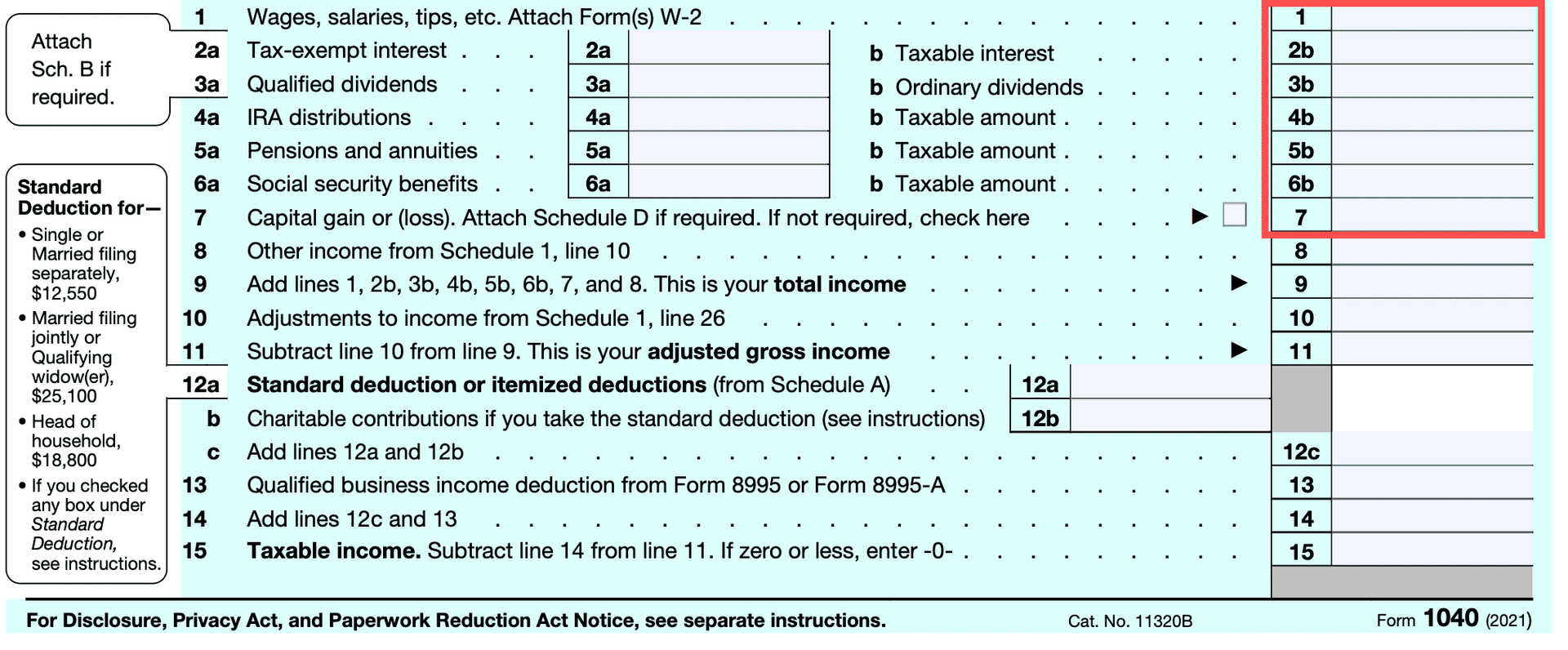
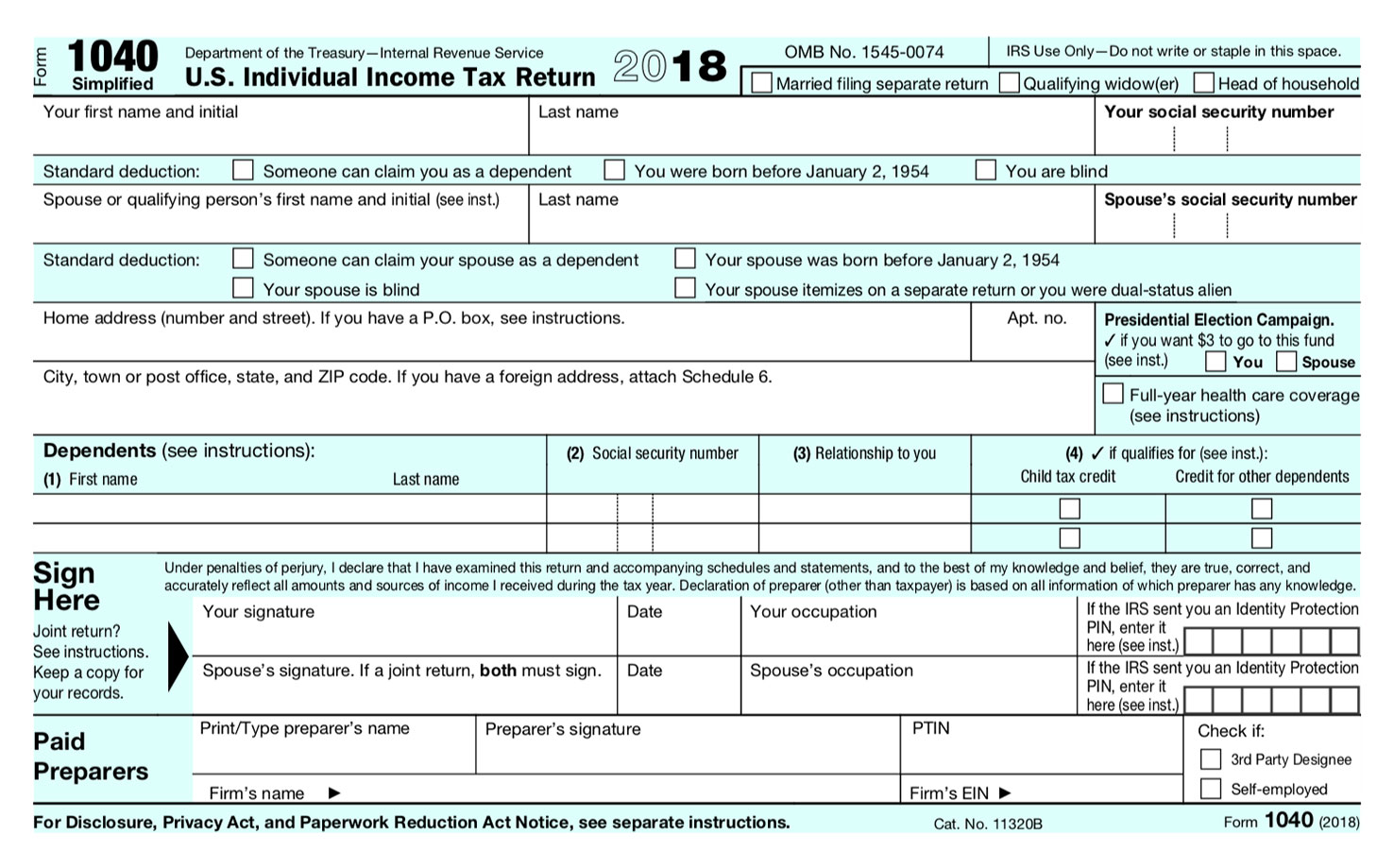
The most efficient and reliable way to obtain the official IRS Form 1040 is to download the document directly from the Internal Revenue Service’s official website, IRS.gov. By visiting the "Forms and Instructions" section of the site, you can access the current, print-ready PDF version of the form, which ensures you are working with the most up-to-date tax document for the current filing season.
Understanding the Importance of the Official Form 1040
The Form 1040, officially titled the "U.S. Individual Income Tax Return," is the foundational document used by the vast majority of American taxpayers to report their annual income, claim tax credits and deductions, and determine the amount of tax owed or the refund due. Because tax laws, standard deduction amounts, and tax brackets can shift slightly from year to year, obtaining the correct version of the form is critical.
Using an outdated version of the 1040 can lead to processing delays, calculation errors, and potential notices from the IRS requesting corrected information. By utilizing the official IRS portal, you ensure that the form contains the necessary fields to remain compliant with current tax regulations for the 2026 filing season.
Step-by-Step: Downloading the Form from IRS.gov
Obtaining the form is a straightforward process that requires only a reliable internet connection and a PDF viewer. Follow these steps to ensure you acquire the authentic document:
- Navigate to the Source: Open your web browser and go to IRS.gov. Always verify the URL ends in ".gov" to avoid imitation sites that may contain malicious software or harvest personal information.
- Access the Forms Library: Locate the navigation bar on the IRS homepage and select the tab labeled "Forms & Instructions." You may also see a prominent link labeled "Forms, Instructions & Publications."
- Search for the Document: Use the internal search bar on the IRS website. Type "1040" into the search field. The search results will display the most current version of the form at the top of the list.
- Select the Current Year: The IRS maintains archives of forms from previous years. Ensure you are selecting the version intended for the current tax year. The title will typically specify the tax year, such as "Form 1040 (2026)."
- Download or Print: Once the PDF version opens in your browser or downloads to your device, you may choose to save the file for your records or print it immediately to complete by hand.
Why You Should Avoid Third-Party Tax Form Sites
While many third-party websites offer "free" downloads of IRS forms, these sites often include unnecessary advertisements, tracking cookies, or, in the worst cases, modified documents. When you download a tax form from a non-government source, there is no guarantee that the file has not been altered. Even minor changes to the document layout could result in a rejection by the IRS scanners when the return is processed. Always prioritize the official government domain as your primary source for tax-related documents.
Technical Considerations for Digital Filing
If you intend to complete the 1040 form digitally before printing or submitting, ensure you have the current version of a PDF viewer installed. The IRS provides "fillable" versions of many forms. These are distinct from static PDFs; they include interactive fields that allow you to type your information directly into the form.
When using fillable forms, note that they do not automatically calculate your tax liability or perform the advanced math required for complex tax situations. If your tax return includes significant investment income, business expenses, or complex credits, the basic PDF form may not be sufficient, and you might consider using IRS-approved tax preparation software instead.
Comparison of Methods to Obtain IRS Forms
Taxpayers have several avenues for obtaining IRS documents. The table below outlines the efficiency and utility of each method.
| Method | Speed | Accessibility | Recommended For |
|---|---|---|---|
| IRS.gov Download | Instant | High | DIY filers, quick access |
| IRS.gov Order Form | 7-10 Days | Medium | Individuals without printers |
| Public Library/Post Office | Variable | Low | Those without internet access |
| Tax Preparation Software | N/A (Integrated) | High | Filers with complex returns |
When to Seek Professional Assistance
Obtaining the form is merely the first step. If your financial situation involves multiple streams of income, international assets, or intricate business structures, simply having the 1040 form is not enough to ensure a correct filing. The IRS provides extensive documentation, including the "Instructions for Form 1040," which spans many pages of specific guidance.
If you find yourself confused by the line-by-line instructions or are unsure about your eligibility for specific tax credits, consulting a Certified Public Accountant (CPA) or an Enrolled Agent (EA) is advisable. These professionals possess the expertise to interpret tax code changes and can help prevent costly errors that might trigger an audit.
Common Troubleshooting and FAQs
How do I know if I have the right version of the 1040?
Look for the "OMB No." (Office of Management and Budget) number printed on the top corner of the form. Additionally, the IRS will clearly label the tax year on the upper right-hand side of the document. If the form does not explicitly state the correct tax year, do not use it.
Can I fill out the 1040 by hand?
Yes, you can print the form from IRS.gov and complete it by hand using blue or black ink. Ensure your handwriting is legible, as the IRS uses automated character recognition systems to process paper returns. Illegible forms can lead to processing errors or extended wait times.
Are there different versions of the 1040?
In recent years, the IRS has streamlined the 1040. For most taxpayers, the standard Form 1040 is the correct document. However, you may occasionally see references to "1040-SR" (for seniors) or other specialized versions. Ensure you are using the primary 1040 unless your specific circumstances dictate otherwise.
What happens if I file with an old form?
If you submit a return on an outdated version of the 1040, the IRS may send you a letter requesting that you resubmit your information on the correct form. This will delay your tax refund and may subject your return to closer scrutiny.
Does the IRS mail these forms to everyone?
No. The IRS does not automatically mail blank 1040 forms to every taxpayer. You are expected to access these documents online or through professional tax software. If you cannot access the internet, you can call the IRS toll-free to request that a form be mailed to your physical address.
Where do I mail the form once completed?
The mailing address for your 1040 depends on your state of residence and whether you are enclosing a payment. Refer to the "Where to File" section in the official IRS instructions that accompany the form to ensure it reaches the correct processing center.
Final Next Steps
Once you have successfully downloaded the 1040 from the official IRS portal, the next step is to gather your W-2s, 1099s, and other supporting documentation. Organize these records before you begin filling out the form to save time and reduce errors. If at any point you feel overwhelmed by the requirements, refer to the official IRS Publication 17, which serves as a comprehensive guide for individual tax filers. By maintaining direct access to government-provided resources, you maintain control over your tax filing process and ensure the security of your sensitive financial information.