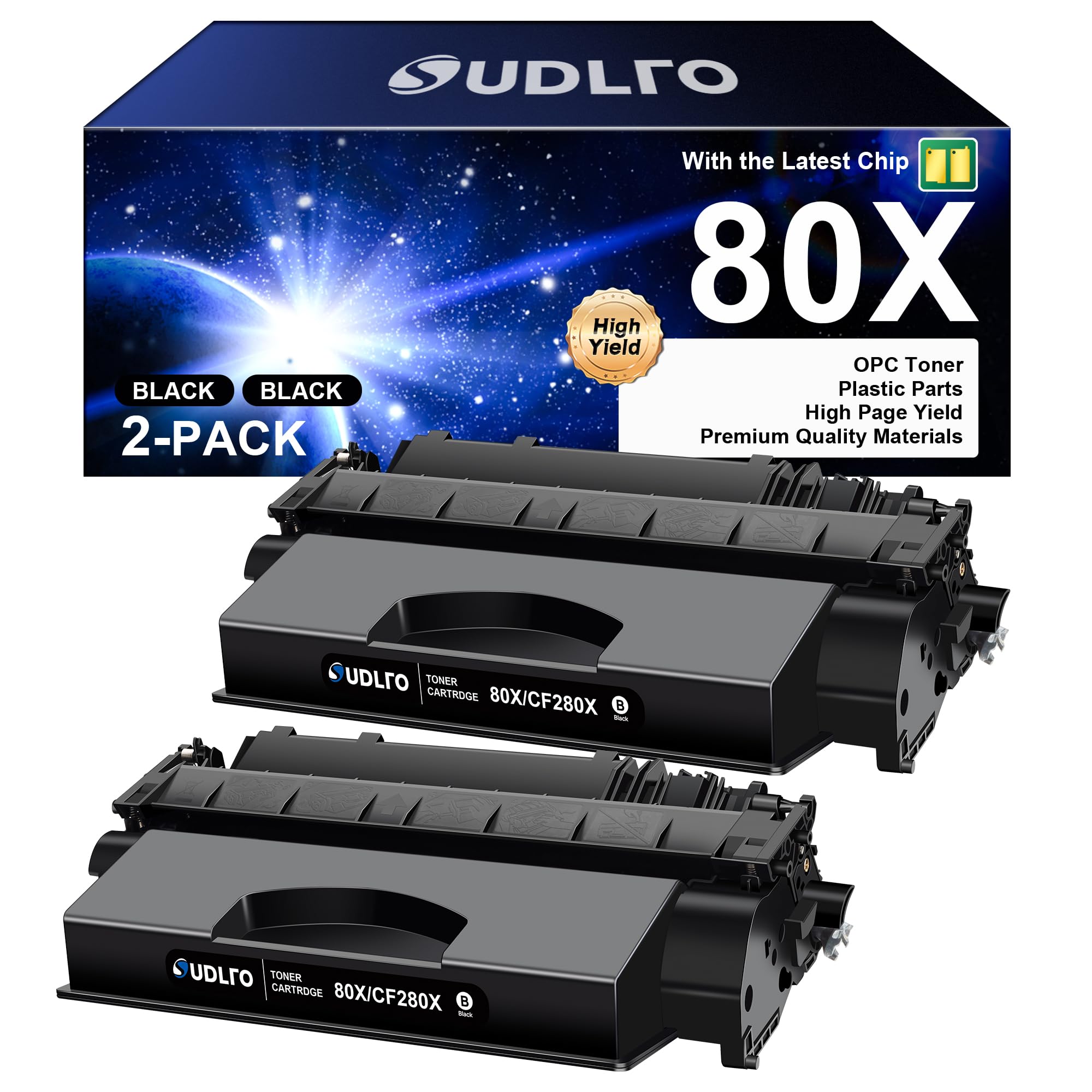
The HP LaserJet Pro 400 series, specifically the M401 and M425 models, utilizes the HP 80A (CF280A) and HP 80X (CF280X) toner cartridges. The 80A is a standard-capacity option yielding approximately 2,700 pages, while the 80X is a high-yield version producing roughly 6,900 pages, designed for higher-volume professional environments requiring efficiency.
Understanding the HP LaserJet Pro 400 Series Ecosystem
By 2026, the HP LaserJet Pro 400 series has solidified its reputation as one of the most durable monochrome laser printer lines ever produced. Originally launched to serve small-to-medium businesses, these machines—primarily the LaserJet Pro 400 M401 (single-function) and the LaserJet Pro 400 MFP M425 (multifunction)—remain in high demand on the secondary market and in established offices.
The heart of these machines is the toner cartridge. Unlike many modern printers that separate the toner powder from the imaging drum, the LaserJet Pro 400 uses an "all-in-one" cartridge design. This means every time you replace the toner, you are also replacing the drum, the developer roller, and the waste bin. This design ensures consistent print quality over the life of the printer but requires a deeper understanding of the specific cartridge options available to manage operating costs effectively.
The Primary Cartridge Options: HP 80A vs. HP 80X
When purchasing supplies for the LaserJet Pro 400, users must choose between two primary capacities. While they are physically similar and fit into the same internal slots, their internal reservoirs and cost-per-page metrics differ significantly.
The HP 80A (CF280A) Standard Yield
The 80A is the standard-capacity cartridge. It is typically the "out-of-the-box" choice for users with moderate printing needs. It contains enough toner to produce approximately 2,700 pages based on the ISO/IEC 19752 testing standard (which assumes 5% page coverage). This cartridge is ideal for home offices or workstations where printing is sporadic.
The HP 80X (CF280X) High Yield
The 80X is the high-capacity alternative. It features a larger internal hopper and a more robust waste bin to accommodate a yield of approximately 6,900 pages. For businesses that print more than 500 pages per month, the 80X is almost always the more economical choice. It reduces the frequency of replacements and typically offers a lower cost-per-page (CPP) than the 80A.
Comparison of 80A and 80X Specifications
| Feature | HP 80A (CF280A) | HP 80X (CF280X) |
|---|---|---|
| Print Technology | Laser (Monochrome) | Laser (Monochrome) |
| Page Yield | ~2,700 pages | ~6,900 pages |
| Cartridge Weight | ~0.85 kg | ~1.15 kg |
| Best For | Low-volume/Home office | High-volume/Business |
| Compatibility | M401 / M425 Series | M401 / M425 Series |
| Standard Coverage | 5% (ISO/IEC 19752) | 5% (ISO/IEC 19752) |
Technical Mechanics: How the LaserJet Pro 400 Toner Works
To appreciate why these cartridges are priced as they are, one must understand the internal components of the CF280 series. These are not merely plastic boxes filled with dust; they are sophisticated electro-photographic engines.
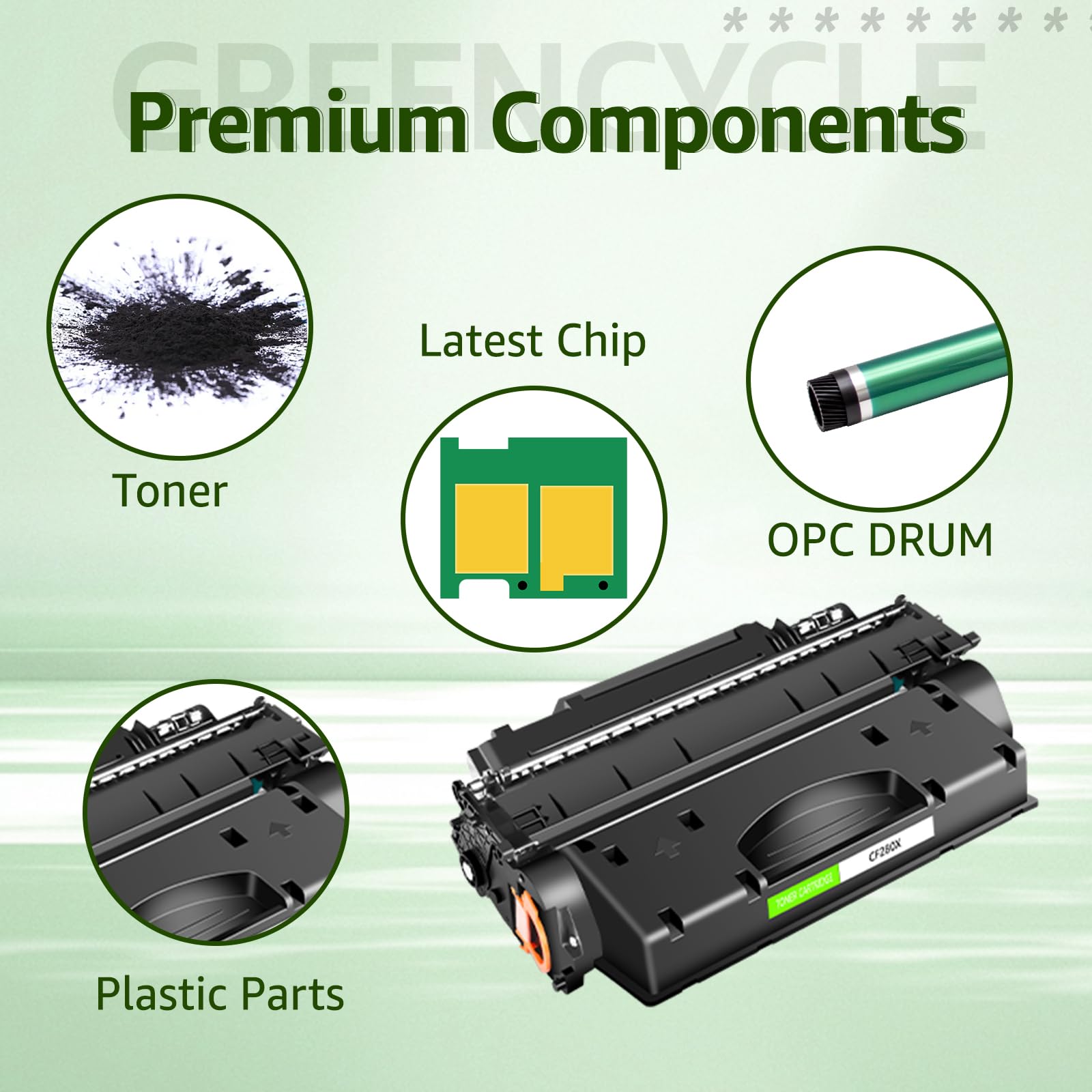
- The Organic Photo-Conductor (OPC) Drum: This is the green or blue cylinder visible at the bottom of the cartridge. The printer’s laser "writes" a latent image onto this drum using static electricity.
- The Developer Roller: This component uses magnetic properties to attract toner particles from the hopper and transfer them to the charged areas of the OPC drum.
- The Toner Powder: The HP 80 series uses a chemically grown toner. These particles are uniform in shape and size, which allows for a lower melting point. This "Energy Star" compliant technology ensures the printer can wake from sleep and finish the first page faster while using less heat from the fuser.
- The Wiper Blade and Waste Bin: As the drum rotates, not 100% of the toner is transferred to the paper. A small rubber blade scrapes the excess toner into a waste reservoir. In high-yield cartridges (80X), this reservoir is physically larger to prevent overflow before the toner runs out.
Printer Compatibility and Firmware Considerations
The HP LaserJet Pro 400 series includes several sub-models. It is crucial to verify that your specific model supports the high-yield 80X, as a very small number of early or regional configurations were occasionally restricted to standard yield, though this is rare for the M401/M425 family.
Compatible Printer Models:
- HP LaserJet Pro 400 M401n: Network-ready, manual duplex.
- HP LaserJet Pro 400 M401dn: Network-ready, automatic duplex.
- HP LaserJet Pro 400 M401dw: Wireless, automatic duplex, touchscreen.
- HP LaserJet Pro 400 M401dne: Echo-conscious enterprise version.
- HP LaserJet Pro 400 MFP M425dn: Multifunction (Print, Scan, Copy, Fax) with Ethernet.
- HP LaserJet Pro 400 MFP M425dw: Multifunction with Wireless capabilities.
In 2026, many of these units have undergone firmware updates. It is important to note that the HP 80 series cartridges contain a security chip. This chip communicates with the printer to provide "Toner Low" alerts and to verify that the cartridge is an authentic HP product. If you are using third-party or remanufactured cartridges, ensuring they have a current-generation chip is vital for bypassing "Cartridge Error" or "Supply Memory Error" messages.
Installation and Replacement Guide
Replacing the toner in a LaserJet Pro 400 is a straightforward process, but following the correct steps ensures you don't damage the internal mirrors or the delicate OPC drum.
Step 1: Accessing the Cartridge
Press the release button (usually located on the right side or front depending on the M401 vs M425 layout) to open the front door. The cartridge tray or the cartridge itself will be accessible.
Step 2: Removal
Grasp the handle of the old cartridge and pull it straight out. Because this is an all-in-one unit, there are no separate levers for the drum. Be careful not to tilt the old cartridge excessively if it is leaking, as waste toner can spill into the printer's paper path.
Step 3: Preparing the New Cartridge
Before removing the protective packaging, hold the new 80A or 80X cartridge by its sides and gently rock it back and forth 5 to 6 times. This redistributes the toner powder, which may have settled or compressed during shipping. If you skip this step, you may experience light streaks or uneven "faded" patches on your first few dozen prints.
Step 4: Removing Seals
Pull the orange plastic ring or tab to remove the entire length of the sealing tape from the cartridge. Additionally, remove any orange plastic protective clips covering the drum or the chip contact. Do not touch the green OPC drum surface, as skin oils can cause permanent print defects.
Step 5: Insertion
Align the cartridge with the internal tracks and slide it in until it clicks into place. Close the front door. The printer will perform a "calibrating" cycle that lasts about 30–60 seconds.
Troubleshooting Common Toner Issues
Even with high-quality cartridges, the age of the LaserJet Pro 400 hardware in 2026 can lead to specific print quality issues.
Vertical Lines or Streaks
If you see a sharp, consistent black line running down the entire page, there is likely a scratch on the OPC drum. Since the drum is part of the cartridge, replacing the 80A/80X cartridge will almost always solve this problem. If the line is white (missing print), there may be a piece of debris blocking the laser path or a "void" in the developer roller.
Gray Background or "Ghosting"
A light gray haze across the whole page usually indicates that the wiper blade inside the cartridge is failing or the waste bin is full. If you see "ghost" images (faint repetitions of text from higher up on the page), this can be a toner issue, but it is more often a sign that the printer's fuser unit is reaching the end of its life and is no longer reaching the required temperature to bond the toner to the paper.
Faded Print
If the print is light even with a new cartridge, check the printer's settings for "EconoMode." While EconoMode saves toner, it significantly reduces the saturation of the black. If EconoMode is off and the print is still light, the transfer roller (the spongy roller inside the printer, not the cartridge) may need cleaning or replacement.
OEM vs. Compatible Cartridges in 2026
The debate between Original Equipment Manufacturer (OEM) HP cartridges and third-party compatible cartridges remains relevant.
- OEM (HP 80A/80X): These offer the highest reliability and the best grayscale transitions. For legal documents, archival records, or high-stakes business presentations, OEM is the standard. HP also provides a free recycling program through HP Planet Partners.
- Compatible/Remanufactured: These are significantly cheaper. However, they carry a higher risk of "leaking" toner into the machine. In 2026, many high-quality remanufacturers have mastered the 80X chip, making these a viable option for internal drafts and high-volume packing slips where perfect aesthetics are less critical.
Storage and Environmental Impact
Toner is a fine powder that is sensitive to its environment. If you stock up on 80X cartridges, they should be stored:
- At room temperature: Avoid garages or warehouses where temperatures exceed 35°C (95°F), as the toner powder can "clump" and become unusable.
- Horizontal orientation: Never store cartridges standing on their ends. This causes the toner to settle on one side, which can lead to "Supply Memory Errors" or uneven distribution that rocking cannot fix.
- Away from light: Even though the drum is protected, prolonged exposure to high-intensity light can "fatigue" the OPC material.
From a sustainability perspective, the 80X high-yield cartridge is the superior choice. It uses less plastic and packaging per printed page compared to the 80A, and the reduced shipping frequency lowers the overall carbon footprint of your office supplies.
Frequently Asked Questions
Can I use the 80X cartridge in the M401n model?
Yes, the HP 80X (CF280X) is fully compatible with the M401n. While the "n" stands for "network," the internal chassis is identical to the "dw" and "dn" versions, allowing it to accommodate the larger high-yield cartridge without any modifications.
How do I know if my toner is actually low or if the chip is just guessing?
The HP LaserJet Pro 400 uses a combination of a "pixel counter" on the chip and an optical or mechanical sensor. When the "Toner Low" message appears, you can usually continue printing for another 100–200 pages by removing the cartridge and shaking it. However, once the print begins to fade visibly, the toner is physically exhausted.
Why is my printer saying "Non-HP Cartridge Detected"?
This is a standard notification if you are using a third-party or remanufactured cartridge. In most cases, you can simply click "OK" or "Continue" on the printer's control panel. If the printer refuses to print, it means the chip on the cartridge is either defective, missing, or blocked by a firmware security update.
Does the HP 80A/80X cartridge expire?
Toner powder does not "expire" in the same way ink does. As long as the cartridge is kept in a climate-controlled environment and the seal is not broken, a cartridge can remain functional for many years. The main risk over long periods is the rubber wiper blade inside the cartridge becoming brittle.
Is it worth repairing an M401/M425 in 2026 instead of buying a new printer?
Generally, yes. These models were built with more metal internal components than many of the "budget" printers released in later years. As long as you use high-quality 80A/80X toner, these machines can often reach 150,000 to 200,000 total pages with only occasional fuser or roller maintenance.
Final Recommendation
For the best balance of cost and performance in 2026, prioritize the HP 80X (CF280X) high-yield cartridge over the standard 80A. The significantly higher page yield (6,900 vs. 2,700) provides a much lower total cost of ownership and reduces the environmental impact of your printing operations. If you are experiencing print quality issues, remember that the cartridge contains the imaging drum; replacing the cartridge is the first and most effective step in restoring crisp, professional-grade monochrome documents.