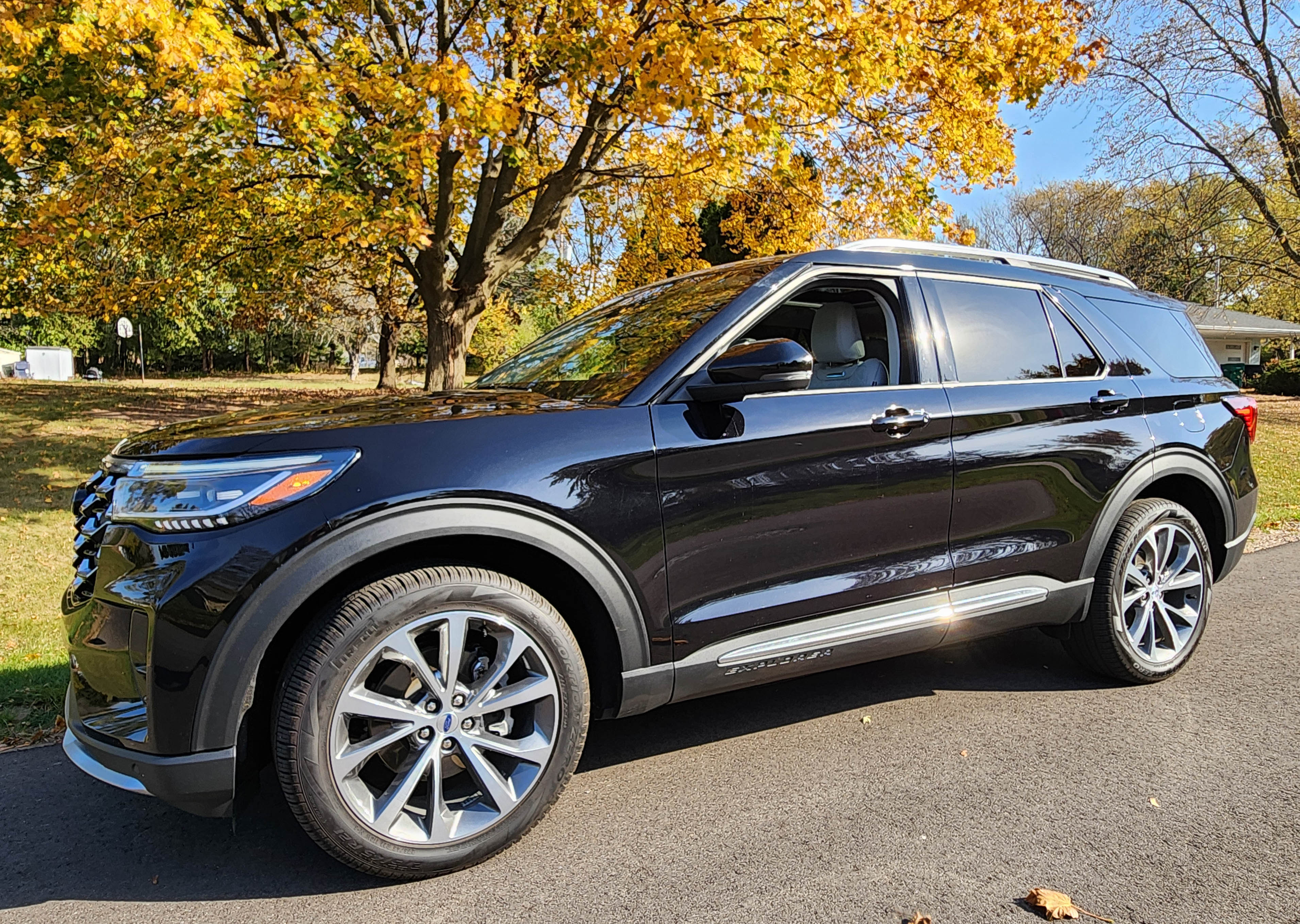
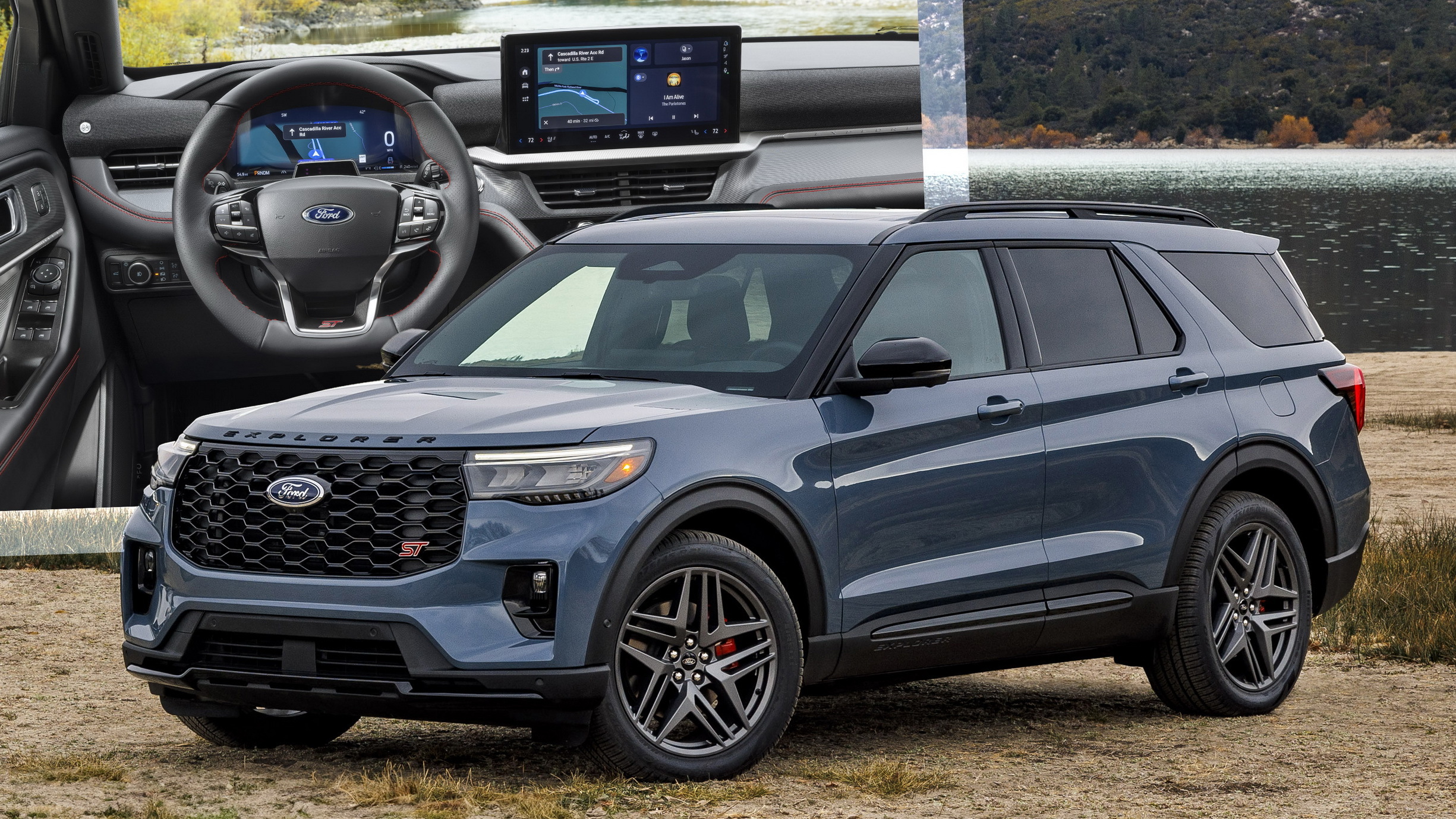
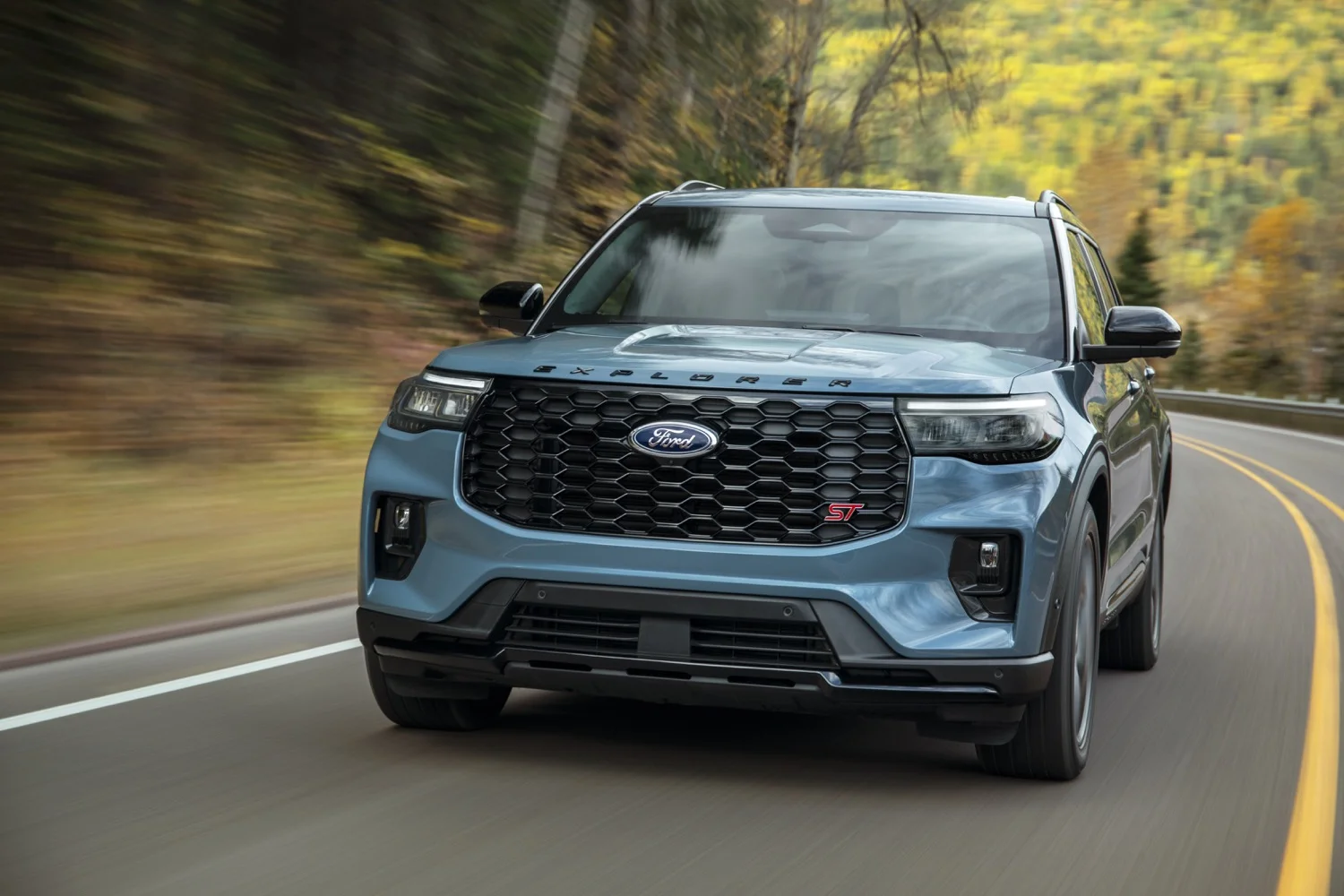
The 2025 Ford Explorer brings Ford’s BlueCruise hands-free highway driving technology to the midsize SUV family for the first time. Available on ST-Line, Platinum, and ST trims, BlueCruise enables hands-free steering, acceleration, and braking on over 130,000 miles of pre-mapped North American highways, backed by infrared driver-monitoring cameras and advanced lane-changing features.
What Is Ford BlueCruise on the 2025 Explorer?
Ford BlueCruise is a hands-free driver assistance technology classified as a Level 2 semi-autonomous driving system by SAE International. Unlike standard adaptive cruise control or basic lane-centering systems that require continuous physical steering input, BlueCruise permits driver hands-free operation on dedicated, pre-mapped sections of divided highways known as Hands-Free Blue Zones.
For the 2025 model year mid-cycle refresh, Ford integrated BlueCruise directly into the Explorer's updated electrical architecture and new Ford Digital Experience infotainment system. While previous iterations of the Explorer offered Ford Co-Pilot360 Assist+ (which combined adaptive cruise control with lane-centering but required continuous hands-on contact), the 2025 Explorer incorporates hardware—including an optical driver monitoring system—that elevates highway driving to true hands-free capability under designated conditions.
It is crucial to note that BlueCruise is not a fully autonomous driving system. The technology requires the driver to maintain constant visual attention on the road. An active infrared camera array monitors eye gaze and head posture, ensuring the driver remains prepared to resume control whenever environmental, routing, or system boundary conditions demand manual intervention.
2025 Ford Explorer BlueCruise Trim Availability & Packaging
Ford streamlined the 2025 Explorer trim lineup into four distinct variants: Active, ST-Line, Platinum, and ST. Hardware support and software availability for BlueCruise vary across these trim levels.
| ACTIVE TRIM (Co-Pilot360 Only) | ST-LINE / PLATINUM (BlueCruise Trial) | ST TRIM (BlueCruise Trial) |
|---|---|---|
| Hands-On Driving | Hands-Free Capable | High-Performance |
1. Explorer Active (Base Trim)
The entry-level Active trim does not include hands-free BlueCruise hardware capability as standard equipment. Instead, it comes standard with Ford Co-Pilot360 Assist+, which offers:
- Adaptive Cruise Control with Stop-and-Go
- Lane Centering Assist
- Speed Sign Recognition
- Evasive Steering Assist
Drivers operating the Active trim must keep their hands on the steering wheel at all times.
2. Explorer ST-Line
The ST-Line trim introduces standard BlueCruise hardware. Vehicles leaving the factory include the necessary infrared cameras, radar modules, and map software. Ford includes a 90-day trial period with the vehicle purchase, allowing owners to experience the service before committing to an ongoing subscription or upfront multi-year activation.
3. Explorer Platinum
The luxury-focused Platinum trim includes full BlueCruise hardware readiness across all engine configurations. Like the ST-Line, the Platinum model typically arrives with a 90-day trial, with the option to order a pre-paid multi-year plan directly from the factory at the time of vehicle configuration.
4. Explorer ST
The high-performance ST trim features standard BlueCruise hardware integration alongside its 400-horsepower 3.0-liter EcoBoost V6. Performance driving enthusiasts can utilize hands-free cruising during long highway transit segments before switching to manual control for aggressive driving scenarios.
Key Features & Software Capabilities (BlueCruise v1.2 / v1.3)
The 2025 Ford Explorer launches with an upgraded software suite equivalent to BlueCruise versions 1.2 and 1.3, delivering smoother operational characteristics and proactive lane maneuvering compared to earlier releases found on older EV platforms.
| LANE CHANGE ASSIST | IN-LANE REPOSITIONING | PREDICTIVE SPEED CTRL |
|---|---|---|
| Executes hands-free lane changes on tap of the turn signal | Shifts away from large vehicles in adjacent lanes for safety | Adjusts speed smoothly into upcoming sharp highway curves |
Hands-Free Highway Driving
On designated Blue Zone highways, the system maintains vehicle speed, safe follow distance, and precise alignment within the center of the travel lane. The vehicle automatically adjusts speed to match traffic flow down to a complete stop in heavy gridlock, resuming movement smoothly when traffic re-starts.
Lane Change Assist
When operating in a Blue Zone, the driver can initiate an automated, hands-free lane change simply by tapping the turn signal indicator stalk in the desired direction. The system uses rear side-radar sensors and camera feeds to verify that the adjacent lane is clear of approaching traffic before smoothly executing the lane change. If the adjacent lane is obstructed, a message alerts the driver on the digital instrument cluster, and the vehicle maintains its current lane.
In-Lane Repositioning
To mitigate driver anxiety when traveling adjacent to oversized commercial vehicles, semi-trucks, or highway construction barriers, BlueCruise includes In-Lane Repositioning. The system subtlely shifts the Explorer’s lateral alignment within its lane—moving a few inches away from the large adjacent vehicle—while remaining safely within painted lane boundaries. Once the Explorer passes the obstacle, the system gently recenters the vehicle.
Predictive Speed Assist
Predictive Speed Assist uses map data and forward-looking sensors to anticipate upcoming sharp curves, highway interchanges, or sudden speed zone changes. The system automatically decelerates the Explorer to an appropriate speed prior to entering a tight curve, ensuring driver comfort, before returning to the set cruising speed on straightaways.
How the Hardware and Safety Systems Work
BlueCruise relies on a sensor-fusion network that combines optical camera data, radar detection, precise GPS tracking, and internal eye-tracking cameras.
- Central Compute Module (BlueCruise)
- Inputs:
- Infrared Driver Monitor Camera (Steering Column Mounted)
- Forward Radar & Camera (Distance & Path)
- Rear Corner Radars (Blind Spot & Changing)
- Output:
- Digital Instrument Cluster Display (Blue Hands-Free Status Icon)
- Inputs:
The Infrared Driver Monitoring Camera
Located on the steering column directly in front of the driver, an integrated infrared camera constantly monitors eye movement, gaze vector, and head position. Because it relies on infrared illumination, the system functions accurately in pitch-black night conditions, bright direct sunlight, and even through most polarized sunglasses.
If the driver diverts their eyes from the roadway for more than a few seconds—such as looking down at a smartphone or secondary screen—the system initiates a series of graduated safety warnings:
- Visual Notification: A prominent visual prompt flashes on the 12.3-inch digital instrument cluster instructing the driver to keep their eyes on the road.
- Audible Chime: If the driver does not refocus on the road, an escalating series of audible chimes sound through the vehicle speakers.
- Control Interruption: If attention is not restored, the system briefly pulses the brakes, disengages hands-free mode, and decelerates the vehicle within its lane while activating hazard lights to prevent an unmonitored collision.
Sensor Fusion Suite
- Forward-Facing Radar: Measures target vehicle distances and relative speeds up to several hundred feet ahead.
- Windshield-Mounted Camera: Identifies lane markings, road edge boundaries, traffic control signs, and vehicle silhouettes.
- Rear Side Radars: Monitor blind spots and approaching traffic from behind across adjacent lanes to facilitate safe hands-free lane changes.
Blue Zones: Coverage and Operational Limits
BlueCruise operates exclusively on pre-mapped, divided highways designated by Ford as Hands-Free Blue Zones. Across North America, this network encompasses over 130,000 miles of highway infrastructure, including interstate corridors, major expressways, and select multi-lane ring roads.
| ALLOWED CONDITIONS | DISENGAGEMENT TRIGGERS |
|---|---|
| * Pre-mapped Blue Zone highways* Clear lane markings on road* Driver eyes focused on road* Moderate weather & clear sight* Intact construction zones with standard clear lane striping | * Toll booths & intersection signals* Heavy snow, ice, torrential rain* Faded lane paint, sharp un-mapped detours |
Operational Boundaries & Disengagement Triggers
BlueCruise automatically disengages hands-free mode and prompts the driver to place their hands on the wheel under several specific scenarios:
- Unmapped Roadways: Driving onto surface streets, rural two-lane highways, city corridors, or non-divided roads.
- Adverse Weather: Heavy snow, severe downpours, thick fog, or road spray that obscures the windshield camera's view of lane markings or blocks front radar emitters.
- Direct Sun Glare: Extreme low-angle sunlight hitting the front camera lens directly, temporarily degrading lane recognition.
- Complex Work Zones: Construction areas featuring irregular lane shifts, traffic cones cutting across painted lines, or manual flaggers.
- Toll Plazas & Intersections: Approaching stop signs, traffic signals, roundabouts, or highway toll collection gates.
When BlueCruise reaches an operational boundary, the digital cluster background shifts from Blue (Hands-Free Active) to Green (Hands-On Lane Centering Active) or Gray/Off, accompanied by an audible chime prompting the driver to take control.
2025 Explorer BlueCruise Subscription & Pricing Models
Ford utilizes a Connected Service subscription structure for BlueCruise. Vehicles equipped with BlueCruise hardware include flexibility in how owners activate and pay for the service over time.
90-Day Complimentary Trial
Buyers purchasing an ST-Line, Platinum, or ST trim receive a 90-day free trial starting on the vehicle delivery date. This period allows owners to test the feature during daily commutes and road trips before choosing a long-term plan.
Subscription Pricing Structure
After the 90-day trial expires, owners can manage their subscription via the FordPass app or their online Ford account. Current baseline options for Ford BlueCruise access include:
- Monthly Plan: Approximately $75 per month. Ideal for seasonal drivers, road-trip vacations, or short-term trial extensions.
- Annual Plan: Approximately $800 per year, offering a discount relative to month-to-month billing.
- 3-Year Upfront Purchase: Buyers can include a 3-year software plan directly in the vehicle financing or lease contract at the time of purchase (typically priced around $2,100 depending on promotional factory incentives).
If an owner chooses not to renew the BlueCruise subscription, the vehicle retains full access to basic Ford Co-Pilot360 Assist+ features, including Adaptive Cruise Control and Lane Centering. However, hands-free operation in Blue Zones is disabled until the subscription is reactivated.
2025 Ford Explorer BlueCruise Specification & Trim Comparison
The following table summarizes BlueCruise hardware inclusion, pricing structures, and feature availability across the 2025 Ford Explorer lineup:
| Feature / Specification | Active Trim | ST-Line Trim | Platinum Trim | ST Trim |
|---|---|---|---|---|
| BlueCruise Hardware Standard | No | Yes | Yes | Yes |
| Initial Trial Included | None (Hands-On Only) | 90 Days | 90 Days | 90 Days |
| Hands-Free Blue Zone Driving | Not Supported | Supported | Supported | Supported |
| Lane Change Assist | Not Supported | Supported | Supported | Supported |
| In-Lane Repositioning | Not Supported | Supported | Supported | Supported |
| Infrared Driver Camera | No | Included | Included | Included |
| Ford Co-Pilot360 Assist+ | Standard | Standard | Standard | Standard |
| Subscription Cost (Post-Trial) | N/A | $75/mo or $800/yr | $75/mo or $800/yr | $75/mo or $800/yr |
| Factory 3-Year Plan Option | Not Available | Optional | Optional | Optional |
BlueCruise vs. Competitors: GM Super Cruise and Tesla Autopilot / FSD
Understanding how Ford BlueCruise compares to competing Level 2 driver assistance platforms helps contextualize its value for prospective 2025 Explorer buyers.
| FORD BLUECRUISE | GM SUPER CRUISE | TESLA AUTOPILOT/FSD |
|---|---|---|
| * Pre-mapped Roads* Hands-Free Driving* Eye-Tracking Monitor | * Pre-mapped Roads* Hands-Free Driving* Eye-Tracking & LiDAR | * Anywhere Operation* Hands-On (Autopilot)* Camera-Only (FSD) |
Ford BlueCruise vs. GM Super Cruise (Chevrolet Traverse, GMC Acadia)
- Operational Footprint: GM Super Cruise covers over 400,000 miles of highway in the US and Canada using extensive LiDAR map overlays, while BlueCruise covers roughly 130,000+ miles.
- Driver Monitoring: Both systems use optical infrared eye-tracking cameras mounted on the steering column to enforce driver attention.
- Trailering: Certain GM Super Cruise implementations allow hands-free operation while towing a trailer. BlueCruise on the 2025 Explorer automatically disengages hands-free mode when a trailer is connected, reverting to hands-on Adaptive Cruise Control.
Ford BlueCruise vs. Tesla Autopilot / Full Self-Driving (Supervised)
- Hand Position: Standard Tesla Autopilot requires continuous physical torque applied to the steering wheel to prevent warnings. BlueCruise allows completely hands-free operation on mapped highways.
- Geofencing: Tesla systems can be engaged on virtually any road with clear lane markings, whereas BlueCruise limits hands-free mode strictly to verified, divided highways (Blue Zones) for enhanced safety.
- Hardware Philosophy: Tesla relies primarily on optical cameras without forward radar sensors, whereas Ford utilizes sensor fusion combining radar, optical camera input, and precise GPS mapping.
Step-by-Step: Enabling and Operating BlueCruise in the 2025 Explorer
To operate BlueCruise safely on the road, follow these operational steps:
Activate Connected Services in Ford Pass / Ford Digital Exp.
Engage Lane Centering & Adaptive Cruise Control on Steering Wheel
Merge onto a pre-mapped Blue Zone Highway
Confirm Instrument Cluster displays Blue Graphics
Remove hands from wheel while keeping eyes on the road
Verify Subscription & Connectivity: Ensure your 2025 Explorer is signed into an active Ford account with an active BlueCruise trial or subscription. Connected Navigation must be enabled in the Ford Digital Experience infotainment menu.
Turn On Driver Assistance: On the left side of the steering wheel, press the Adaptive Cruise Control button to turn the system on. Ensure Lane Centering Assist is enabled in the vehicle settings menu.
Set Speed: Accelerate to your desired cruising speed and press the SET + or SET - button.
Enter a Blue Zone: Merge onto a compatible divided highway.
Monitor Visual Prompts: Watch the 12.3-inch digital instrument cluster. When the system detects a valid Blue Zone, the cluster graphics will shift from green hands-on indicators to a solid Blue screen halo displaying a hands-free steering wheel icon.
Release the Steering Wheel: Once the blue prompt displays, you may safely remove your hands from the steering wheel and your feet from the pedals. Maintain your gaze forward toward traffic.
Initiate Automated Lane Changes: To change lanes, verify the adjacent lane is clear, then tap the turn signal stalk fully up or down. The vehicle will execute the maneuver and automatically turn off the turn signal once centered in the new lane.
Troubleshooting Common Operational Alerts
When driving the 2025 Explorer with BlueCruise, drivers may occasionally encounter warnings or system disengagements. Understanding these alerts ensures a smooth driving experience:
- Alert: "Keep Eyes on Road"
- Cause: The steering column camera lost track of your eye gaze for more than a few seconds, often caused by looking down at a mobile device or turning your head toward passengers for extended periods.
- Resolution: Direct your eyes forward to the roadway immediately. The warning will clear automatically.
- Alert: "Hands Required on Steering Wheel"
- Cause: You have exited a designated Blue Zone highway, entered a complex construction zone, or encountered severe lane-marking degradation.
- Resolution: Place both hands back on the steering wheel. The system will drop down to hands-on Lane Centering Assist.
- Alert: "BlueCruise Unavailable - Sensors Blocked"
- Cause: Dirt, mud, bugs, ice, or snow accumulate over the front grille radar emitter or top-center windshield camera lens.
- Resolution: Stop at a safe rest area and wipe clean the front Ford emblem/radar housing and the upper windshield glass area in front of the rearview mirror.
- Alert: "Driver Monitor Camera Blocked"
- Cause: Objects on the steering column (such as clip-on accessories or hands positioned at the top 12 o'clock position blocking the camera view) obscure the infrared lens.
- Resolution: Adjust steering wheel height/tilt or reposition hands to the 9-and-3 position so the camera retains an unobstructed view of your face.
Frequently Asked Questions
Does the 2025 Ford Explorer BlueCruise require a smartphone to work?
No. BlueCruise relies on the vehicle's embedded 5G modem, integrated GPS module, and onboard computing hardware. However, activating the initial trial or managing subscription payments requires a registered account via the FordPass app or Ford's web portal.
Can BlueCruise bring the 2025 Explorer to a complete stop in traffic?
Yes. BlueCruise includes full Stop-and-Go functionality. In heavy highway gridlock, the vehicle will automatically slow down, come to a complete stop behind preceding traffic, and automatically accelerate back up to the set speed when traffic begins moving again, all without driver pedal input.
Will BlueCruise work if I am wearing polarized sunglasses?
Yes, in most cases. The driver-monitoring system uses infrared light to track eye pupil movement and head orientation. Most standard eyeglasses, prescription lenses, and polarized sunglasses allow infrared light to pass through, allowing normal operation. Highly reflective or metallic mirrored lenses may occasionally cause tracking interference.
What happens to BlueCruise when towing a trailer with the 2025 Explorer?
When a trailer is connected to the Explorer’s factory wiring harness, BlueCruise automatically disables its hands-free operational mode. The system reverts to standard hands-on Adaptive Cruise Control with Lane Centering to account for changed vehicle dynamics and modified braking distances.
Can I add BlueCruise to a 2025 Ford Explorer Active trim later?
No. The entry-level Active trim lacks the required factory-installed optical driver monitoring camera on the steering column, specialized wiring harnesses, and additional side radar hardware. BlueCruise hardware cannot be retrofitted post-purchase; buyers wanting the feature must purchase an ST-Line, Platinum, or ST trim model.
Summary & Buyer Recommendation
The inclusion of Ford BlueCruise on the 2025 Explorer represents a major technology upgrade for Ford’s flagship midsize family SUV. By combining hands-free highway lane keeping with automated lane changes and in-lane repositioning, the system effectively reduces driver fatigue during long interstate commutes and road trips.
- For Frequent Highway Commuters: Upgrading to the ST-Line, Platinum, or ST trim is highly recommended. The standard 90-day trial gives buyers ample time to evaluate whether the continuous hands-free service justifies the $75/month or $800/annual subscription cost.
- For Primarily Urban/Suburban Drivers: If your daily travel consists mostly of city streets, stop-and-go local transit, and unmapped backroads, the hands-on Ford Co-Pilot360 Assist+ suite included on the base Active trim offers sufficient driver assistance without ongoing software subscription fees.
For owners who frequently travel long distances along major highway corridors, BlueCruise provides a refined, stress-reducing driving experience that positions the 2025 Ford Explorer competitively alongside the best driver-assist systems in the midsize SUV segment.